> ## Documentation Index
> Fetch the complete documentation index at: https://help.gorelo.io/llms.txt
> Use this file to discover all available pages before exploring further.
# 安排工单创建
> 在 Gorelo 中安排工单按每日、每周或每月节奏自动创建,并预设标题、组、操作和客户分配。
1. 导航到 Settings —> Automation —> [**Scheduled Tickets**](https://app.gorelo.io/Admin/admin-settings#automation#scheduledtickets)
2. 点击右上角的 "**+Automation Rule**"
3. 输入你希望出现在生成的工单上的详细信息:
* **Title**:这将是工单的标题
* **Group**:这将是默认的分配组,并管理可见性/权限
* **Description**:这将作为私有评论显示在工单上(可选)
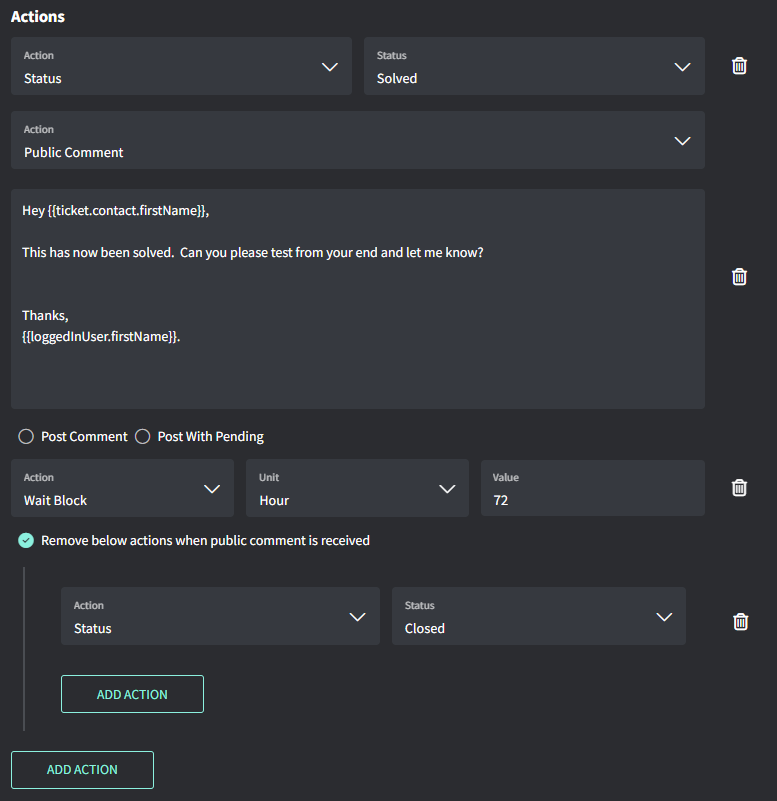
* **Actions**:这些是额外的操作,例如分配用户、清单、标签等(可选)
* **Client Selection**:允许你选择将自动为哪些客户创建工单
* **Schedule**:设置每日、每周或每月的节奏
 提示!
* Run Time 基于组织时区
Settings → General → [**Organization**](https://app.gorelo.io/Admin/admin-settings#general#organization) → Business Hours
提示!
* Run Time 基于组织时区
Settings → General → [**Organization**](https://app.gorelo.io/Admin/admin-settings#general#organization) → Business Hours