> ## Documentation Index
> Fetch the complete documentation index at: https://help.gorelo.io/llms.txt
> Use this file to discover all available pages before exploring further.
# 发布表单
> 将 Gorelo 表单发布到客户门户以供客户自助使用,并提供将可见性限制于特定客户或为所有客户提供表单的选项。
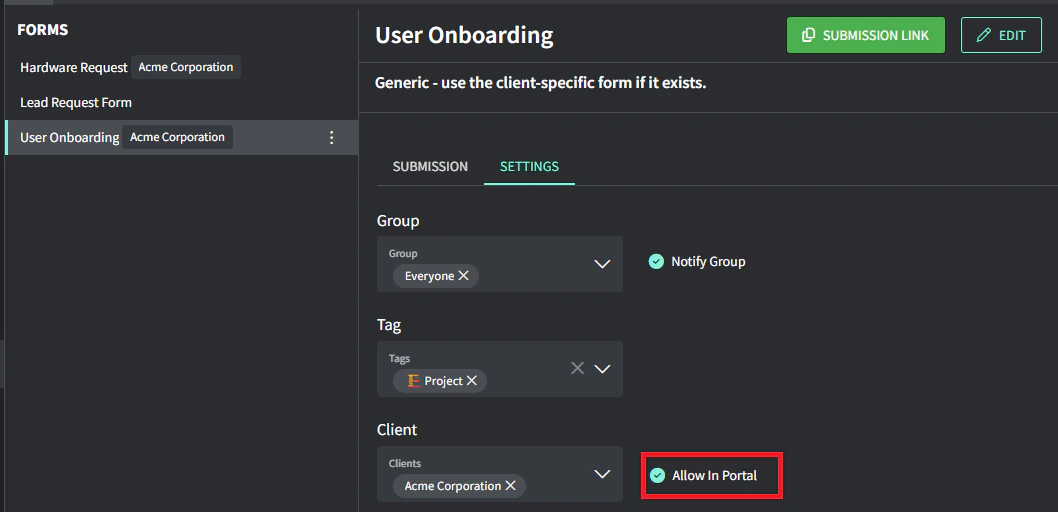
可以将表单发布到客户门户以供自助使用。如果指定了客户,则它只会发布到他们的门户。如果未指定客户,则会发布到所有客户的门户。
1. 从菜单导航到 [**Forms**](https://app.gorelo.io/form/form-list)。
2. 在左侧选择表单。
3. 选择 **Settings** 选项卡。
4. 打开 **Allow in portal** 开关,将此表单发布到客户门户(针对指定的客户)。