> ## Documentation Index
> Fetch the complete documentation index at: https://help.gorelo.io/llms.txt
> Use this file to discover all available pages before exploring further.
# 在 Gorelo 中搜索
> 在 Gorelo 中使用快速搜索和深度搜索,在整个平台上查找工单、资产、客户、联系人、发票和文档,并提供便捷的快捷方式。
搜索作为 Gorelo 中的一个强大工具,可以节省时间并在整个平台上找到几乎任何东西。要访问搜索,请导航到右上角并点击放大镜:
 ## 快速搜索
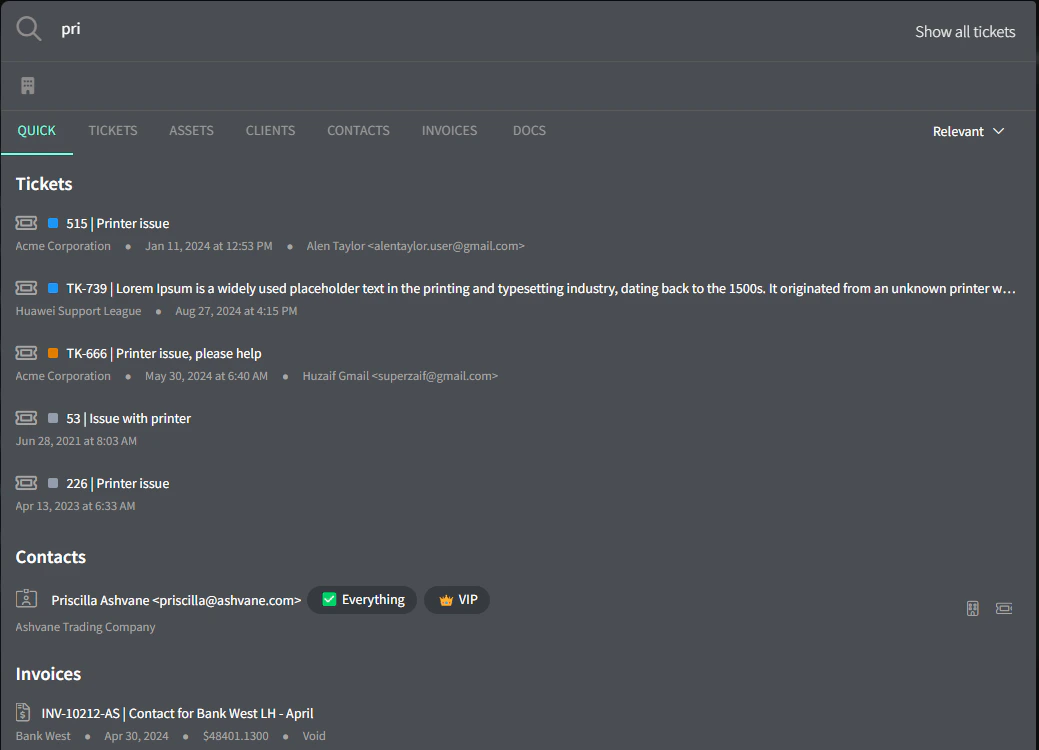
默认搜索选项是**快速搜索(Quick Search)**:它将搜索 Gorelo 的多个区域:工单、资产、客户、联系人、发票和文档。
快速搜索仅搜索工单编号和标题。
## 快速搜索
默认搜索选项是**快速搜索(Quick Search)**:它将搜索 Gorelo 的多个区域:工单、资产、客户、联系人、发票和文档。
快速搜索仅搜索工单编号和标题。
 ## 深度搜索
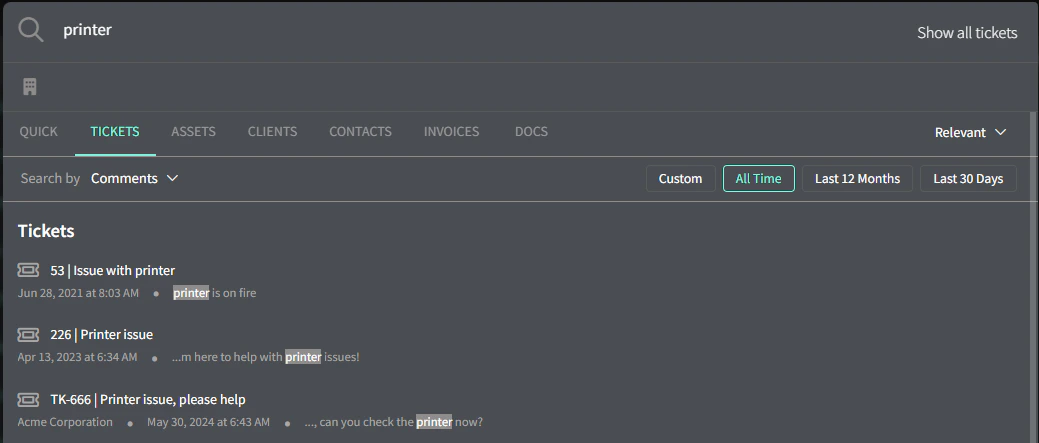
要在工单评论和时间条目中搜索,请切换到 Tickets 选项卡。
## 深度搜索
要在工单评论和时间条目中搜索,请切换到 Tickets 选项卡。
 ## 快捷方式
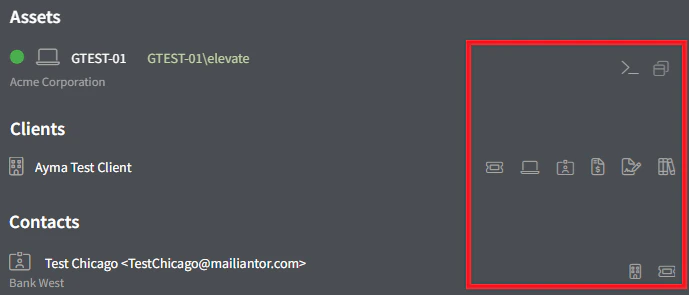
快捷方式出现在每个搜索结果的右侧,让你能跳过几次点击:
* **Assets** —> CLI 和远程连接
* **Clients** —> 工单、资产、联系人、发票、合同和文档
* **Contacts** —> 客户和工单
## 快捷方式
快捷方式出现在每个搜索结果的右侧,让你能跳过几次点击:
* **Assets** —> CLI 和远程连接
* **Clients** —> 工单、资产、联系人、发票、合同和文档
* **Contacts** —> 客户和工单
 ## 显示所有工单
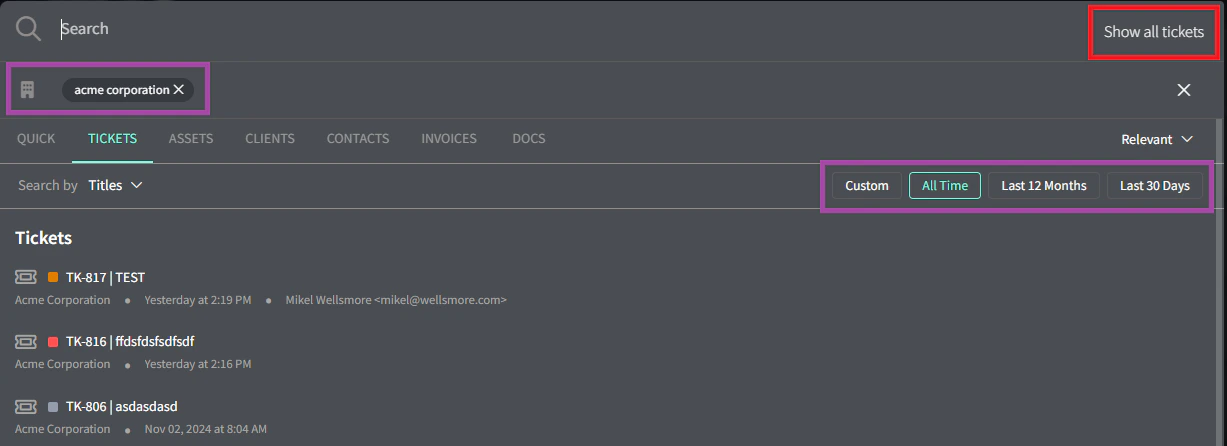
要按时间顺序显示所有工单,请点击右上角的 "Show All Tickets" 按钮。你还可以应用客户焦点和日期范围以缩小范围。
## 显示所有工单
要按时间顺序显示所有工单,请点击右上角的 "Show All Tickets" 按钮。你还可以应用客户焦点和日期范围以缩小范围。
 ## 下一步
使用 Gorelo 掌握优先事项。
使用 Gorelo 完成工作的分步指南。
## 下一步
使用 Gorelo 掌握优先事项。
使用 Gorelo 完成工作的分步指南。