> ## Documentation Index
> Fetch the complete documentation index at: https://help.gorelo.io/llms.txt
> Use this file to discover all available pages before exploring further.
# 从工单获取情感分析
> 使用 Gorelo AI 情感分析为入站工单评论评分,当负面情绪超过你的阈值时通知组,让你能快速处理问题。
情感分析(Sentiment Analysis)会自动对入站评论(公共、第三方、审批)的情感语气进行评分。然后,当分数低于你配置的负面阈值时,它会通知你指定的组,让你能在问题升级之前快速识别并解决可能不满意的客户。
 ## 启用情感分析
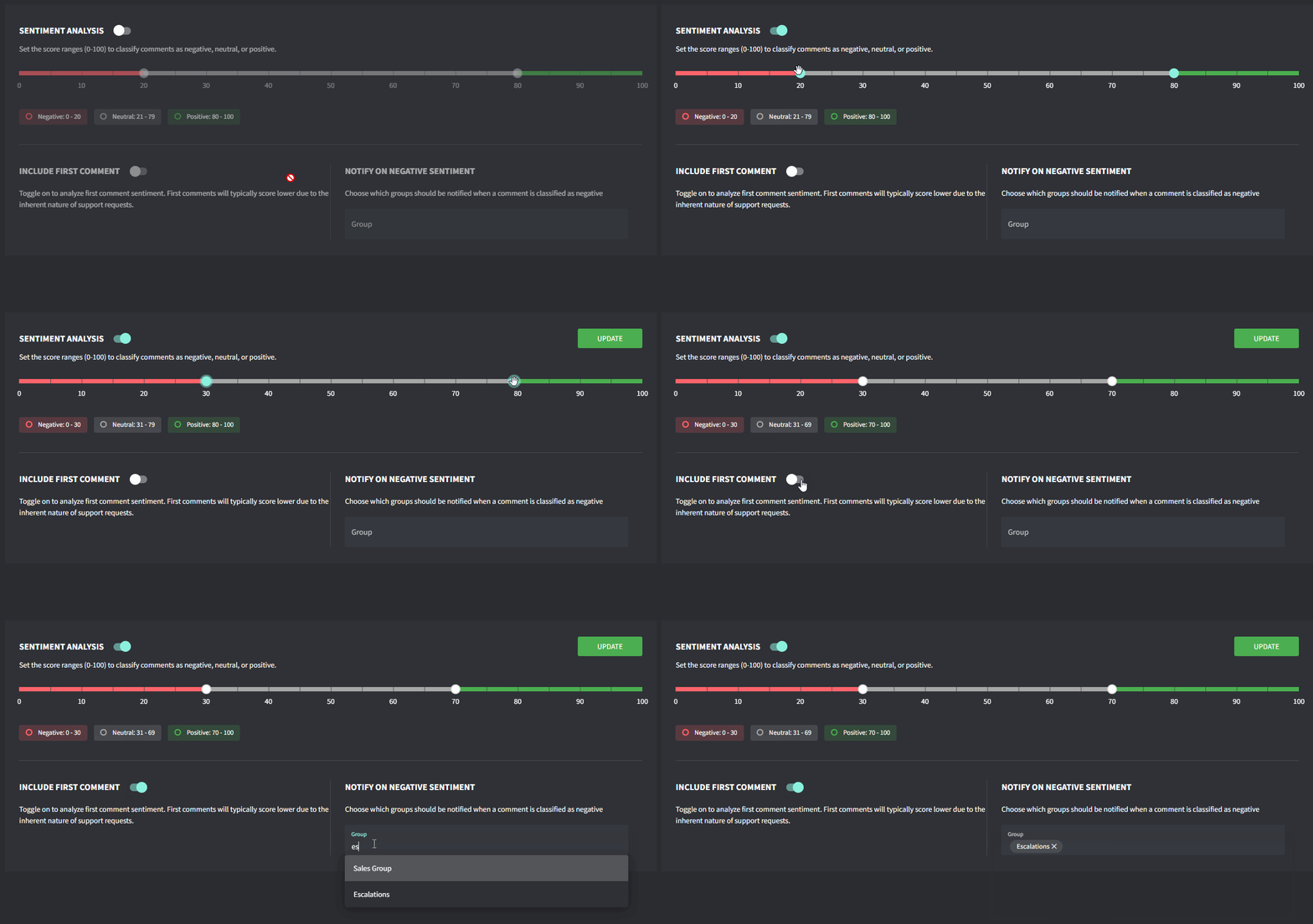
1. 转到 **Settings → AI →** [**Sentiment Analysis**](https://app.gorelo.io/admin/admin-settings#ai#customersentiment)
2. 打开 **Sentiment Analysis** 开关
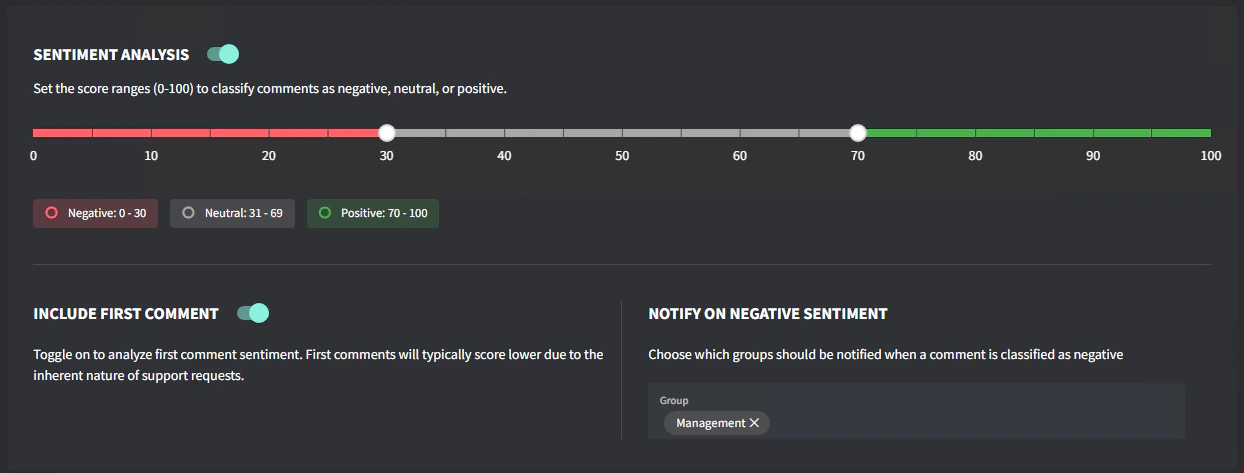
3. 设置你的 **Score Range** 以及你归类为 Negative/Positive 的内容
4. 切换是否要对第一条评论评分。\
注意:由于支持请求的固有性质,第一条评论通常得分较低。
5. 选择哪些**组**应在评论被归类为负面时收到通知
6. 点击 **Update**
## 启用情感分析
1. 转到 **Settings → AI →** [**Sentiment Analysis**](https://app.gorelo.io/admin/admin-settings#ai#customersentiment)
2. 打开 **Sentiment Analysis** 开关
3. 设置你的 **Score Range** 以及你归类为 Negative/Positive 的内容
4. 切换是否要对第一条评论评分。\
注意:由于支持请求的固有性质,第一条评论通常得分较低。
5. 选择哪些**组**应在评论被归类为负面时收到通知
6. 点击 **Update**
 ## 工作原理
* AI 分析每条入站评论(公共、第三方、审批)的文本
* 每条评论都会获得一个情感分数(范围 1 到 100)
* 负面分数表示不满意的客户(1 表示极度负面)
* 当评论的分数低于你的负面阈值时,会向指定的组发送通知
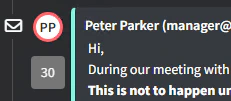
* 要查看情感分数,将鼠标悬停在工单时间线中每条评论旁边的个人资料图标上
## 工作原理
* AI 分析每条入站评论(公共、第三方、审批)的文本
* 每条评论都会获得一个情感分数(范围 1 到 100)
* 负面分数表示不满意的客户(1 表示极度负面)
* 当评论的分数低于你的负面阈值时,会向指定的组发送通知
* 要查看情感分数,将鼠标悬停在工单时间线中每条评论旁边的个人资料图标上
 ## 故障排除
**通知太多?** 将阈值调整为较低的值(更负面)以仅在非常负面的评论时收到提醒。
**遗漏负面评论?** 将阈值调整为较高的值(不那么负面)以捕获更微妙的不满情绪表达。
**非英语评论?** 情感分析支持多种语言,但对英语内容可能最准确。
## 故障排除
**通知太多?** 将阈值调整为较低的值(更负面)以仅在非常负面的评论时收到提醒。
**遗漏负面评论?** 将阈值调整为较高的值(不那么负面)以捕获更微妙的不满情绪表达。
**非英语评论?** 情感分析支持多种语言,但对英语内容可能最准确。