> ## Documentation Index
> Fetch the complete documentation index at: https://help.gorelo.io/llms.txt
> Use this file to discover all available pages before exploring further.
# Deploy a policy on all assets
> Create a Gorelo policy targeting assets by tag to distribute checks, plugins, and scripts to every workstation or server in a single deployment step.
Use policies to distribute **checks**, **plugins**, and **scripts** to assets via the use of tags. This guide walks you through creating your first policy to distribute the ScreenConnect plugin to all workstations.
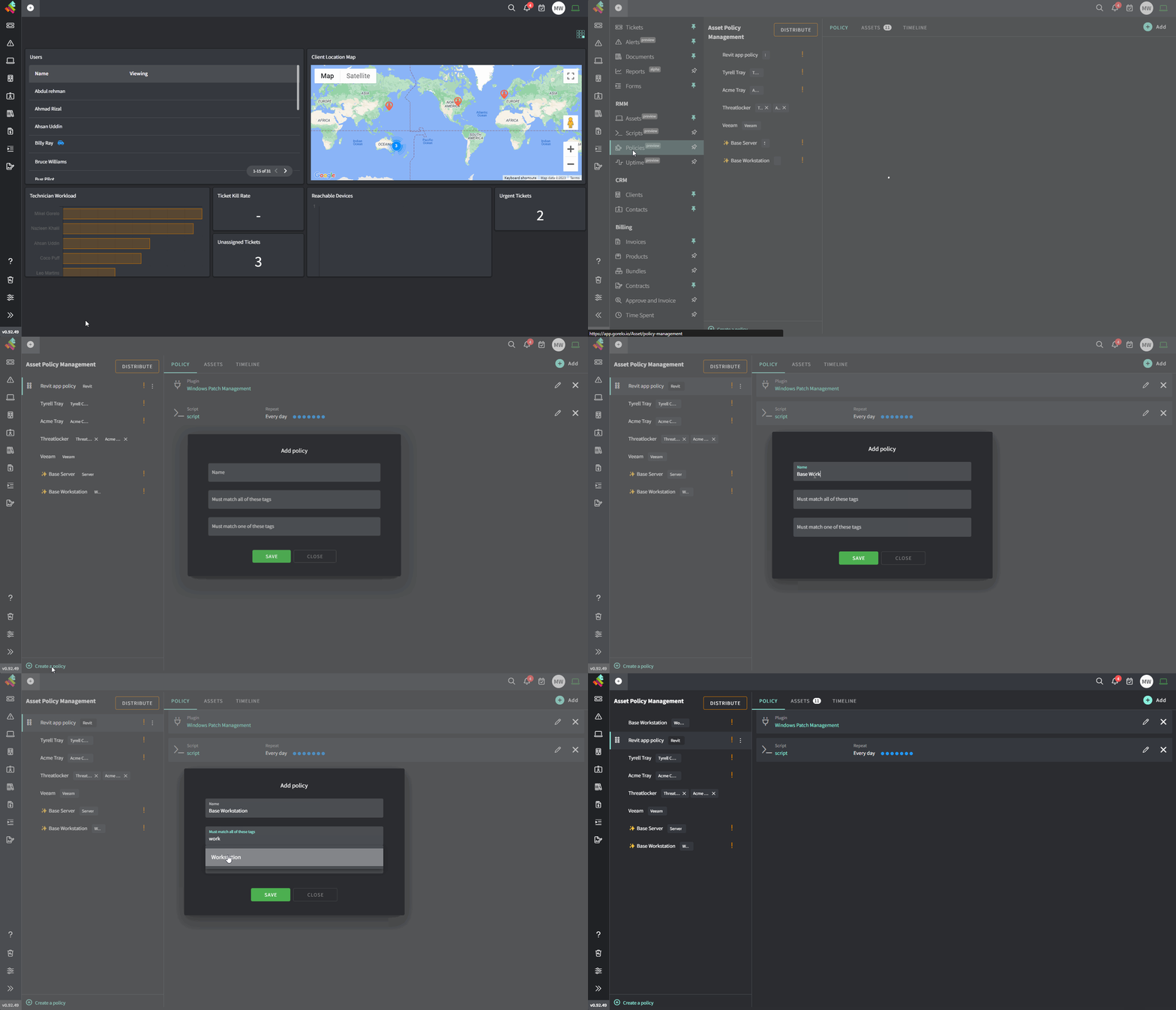
1. Navigate to [**Policies**](https://app.gorelo.io/Asset/policy-management) from the menu.
2. Click **Create a policy** down the bottom-left.
3. Name the policy *Base Workstation.*
4. Under **Must match all these tags,** add the **Workstation** tag.
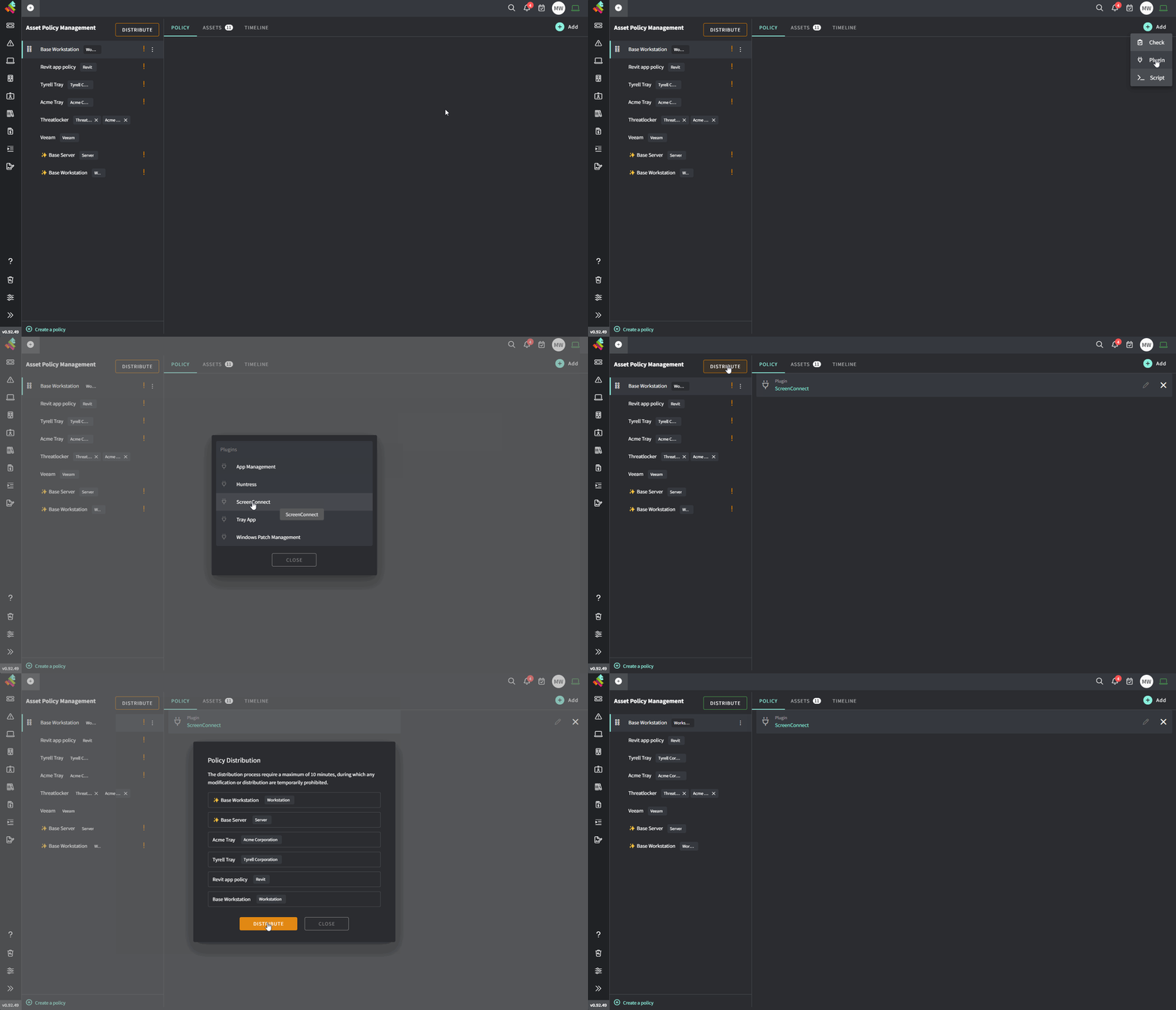
5. While *Base Workstation* policy is selected in the left column, hover **Add**.
6. Select **Plugin** and then **ScreenConnect.**
7. **Distribute** the policy up the top-left.
The same process can be adapted for any check/plugin/script.
Gorelo applies policies like a router's Access Control List (ACL). Checks/Plugins/Scripts are applied hierarchically from top to bottom. If an identical item exists higher in the hierarchy, it overrides those lower down.
For example, Windows Patch Management in your *Base Workstation* policy right at the bottom. Further up the list, you would then create a client-specific policy with Windows Patch Management and this would override the one in your *Base Workstation* policy.
 7. **Distribute** the policy up the top-left.
 The same process can be adapted for any check/plugin/script.
Gorelo applies policies like a router's Access Control List (ACL). Checks/Plugins/Scripts are applied hierarchically from top to bottom. If an identical item exists higher in the hierarchy, it overrides those lower down.
For example, Windows Patch Management in your *Base Workstation* policy right at the bottom. Further up the list, you would then create a client-specific policy with Windows Patch Management and this would override the one in your *Base Workstation* policy.
The same process can be adapted for any check/plugin/script.
Gorelo applies policies like a router's Access Control List (ACL). Checks/Plugins/Scripts are applied hierarchically from top to bottom. If an identical item exists higher in the hierarchy, it overrides those lower down.
For example, Windows Patch Management in your *Base Workstation* policy right at the bottom. Further up the list, you would then create a client-specific policy with Windows Patch Management and this would override the one in your *Base Workstation* policy.