> ## Documentation Index
> Fetch the complete documentation index at: https://help.gorelo.io/llms.txt
> Use this file to discover all available pages before exploring further.
# Filter spam
> Use the Gorelo Spam view to intercept suspicious emails before they reach your ticket queue, review sender, score, and recipient, then unspam or block them.
A dedicated Spam view to manage suspicious emails before they reach your ticket queue.
The **Spam** view can be accessed via the [**Ticket List**](https://app.gorelo.io/Ticket/ticket-list) → Spam (above the ‘Create a View’ button)
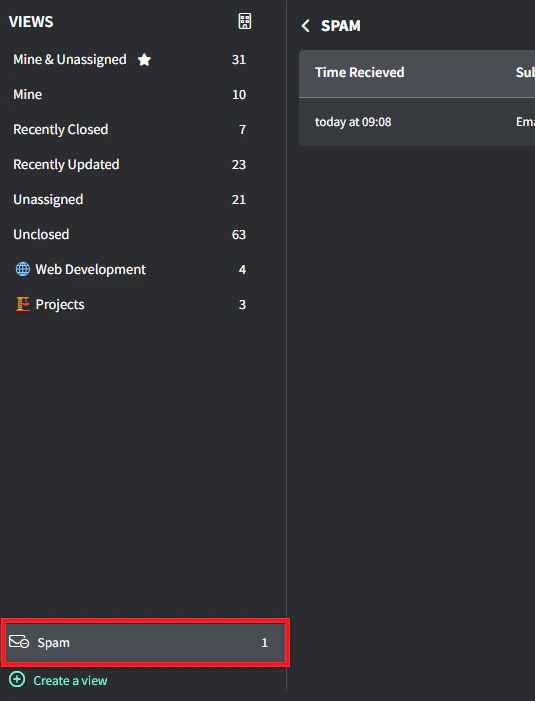 The system intercepts potential spam emails and holds them for review, displaying:
* Time Received
* Subject
* Sender
* Spam Score
* Recipient
The system intercepts potential spam emails and holds them for review, displaying:
* Time Received
* Subject
* Sender
* Spam Score
* Recipient
 Each intercepted email offers two actions:
* **Create Ticket**: Converts legitimate emails to tickets
* **Delete**: Removes the unwanted email (cannot be undone)
Currently, Gorelo's filtering thresholds are extremely conservative to minimize false positives. Protection levels will increase with additional email volume and as patterns emerge.
Each intercepted email offers two actions:
* **Create Ticket**: Converts legitimate emails to tickets
* **Delete**: Removes the unwanted email (cannot be undone)
Currently, Gorelo's filtering thresholds are extremely conservative to minimize false positives. Protection levels will increase with additional email volume and as patterns emerge.