> ## Documentation Index
> Fetch the complete documentation index at: https://help.gorelo.io/llms.txt
> Use this file to discover all available pages before exploring further.
# Publish a form
> Publish a Gorelo form to the Client Portal for client self-service, with options to scope visibility to specific clients or make the form available to all.
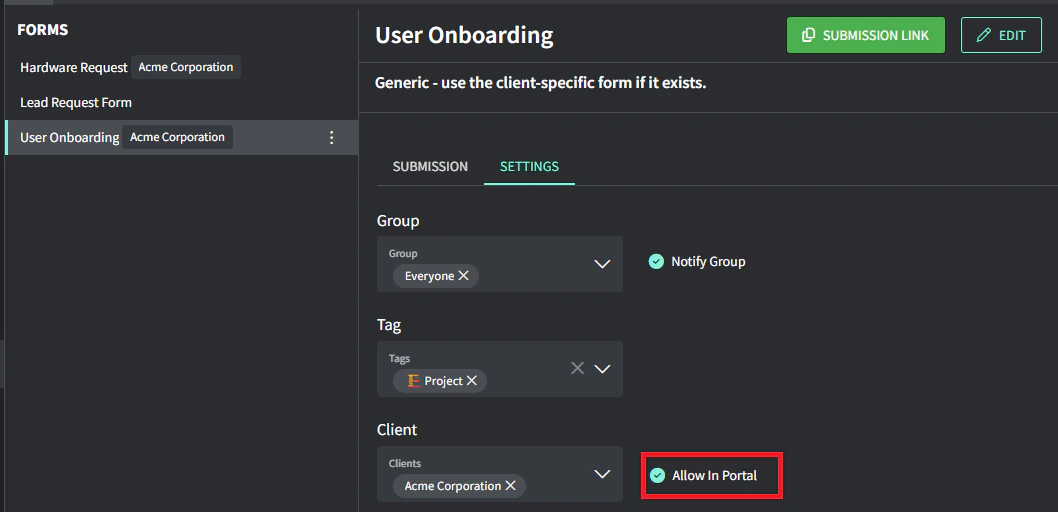
Forms can be published on the Client Portal for self-serve. If a client is specified, then it will only be published on their portal. If no client is specified, then it will be published on the portal for all clients.
1. Navigate to [**Forms**](https://app.gorelo.io/form/form-list) from the menu.
2. Select the form on the left.
3. Select the **Settings** tab.
4. Toggle on **Allow in portal** to publish this form on the Client Portal (for the specified clients).