> ## Documentation Index
> Fetch the complete documentation index at: https://help.gorelo.io/llms.txt
> Use this file to discover all available pages before exploring further.
# Search in Gorelo
> Use Quick Search and Deep Search in Gorelo to find tickets, assets, clients, contacts, invoices, and documents across the platform, with handy shortcuts.
Search serves as a powerful tool in Gorelo to save time and find almost anything across the platform. To access Search, navigate to the top right corner and click the magnifying glass:
 ## Quick search
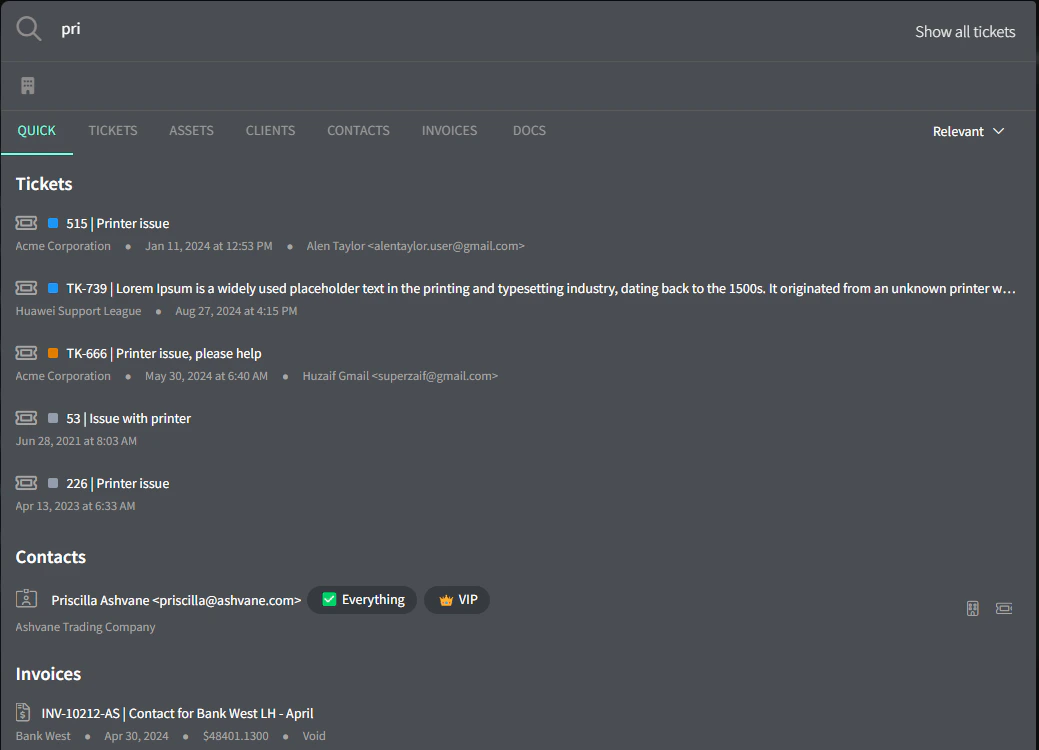
The default search option is **Quick Search**: this will search across many areas of Gorelo: Tickets, Assets, Clients, Contacts, Invoices, and Documents.
The quick search only searches ticket numbers and titles.
## Quick search
The default search option is **Quick Search**: this will search across many areas of Gorelo: Tickets, Assets, Clients, Contacts, Invoices, and Documents.
The quick search only searches ticket numbers and titles.
 ## Deep search
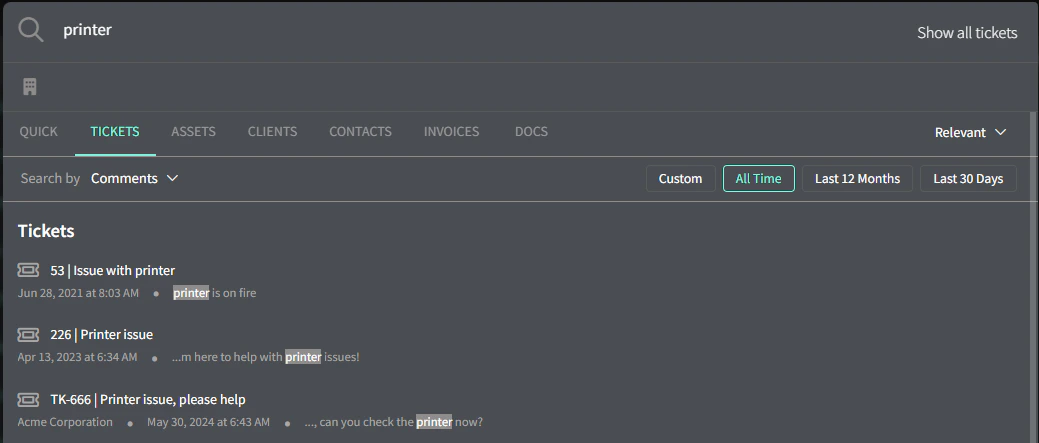
To search within ticket comments and time entries, switch to the Tickets tab.
## Deep search
To search within ticket comments and time entries, switch to the Tickets tab.
 ## Shortcuts
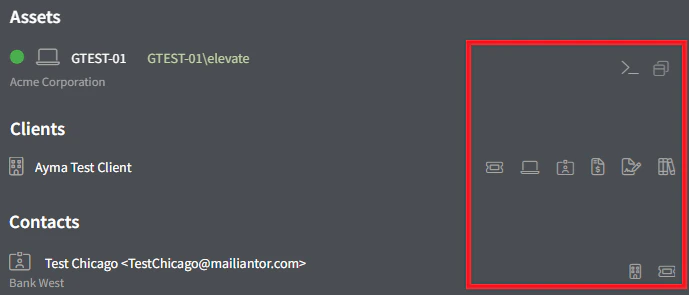
Quick shortcuts appear on the right side of each search result and allow you to skip a few clicks:
* **Assets** —> CLI and Remote Connection
* **Clients** —> Tickets, Assets, Contacts, Invoices, Contracts and Docs
* **Contacts** —> Client and Tickets
## Shortcuts
Quick shortcuts appear on the right side of each search result and allow you to skip a few clicks:
* **Assets** —> CLI and Remote Connection
* **Clients** —> Tickets, Assets, Contacts, Invoices, Contracts and Docs
* **Contacts** —> Client and Tickets
 ## Show all tickets
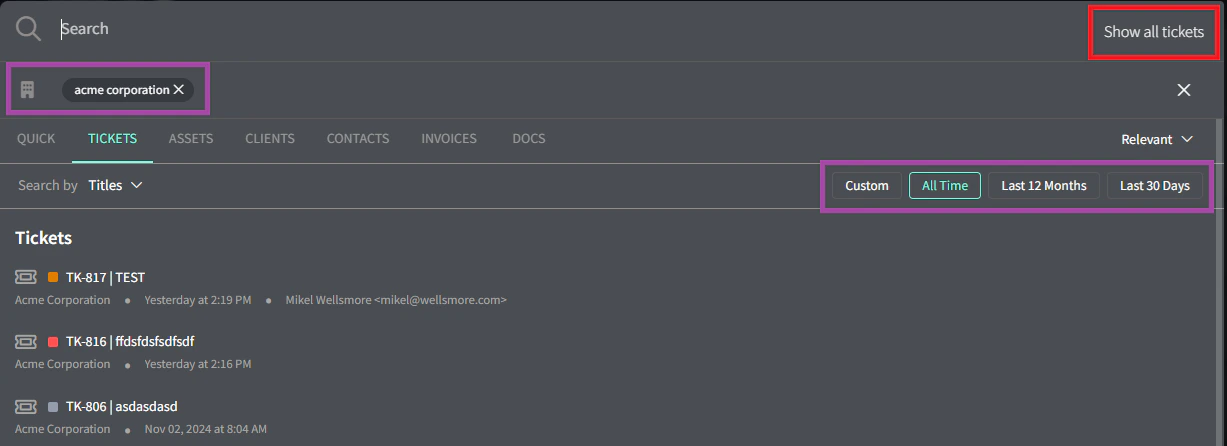
To show all tickets chronologically, click the ‘Show All Tickets’ button up the top right. You can also apply a Client Focus and a date range to narrow things down.
## Show all tickets
To show all tickets chronologically, click the ‘Show All Tickets’ button up the top right. You can also apply a Client Focus and a date range to narrow things down.
 ## Next steps
Stay on top of priorities with Gorelo.
Step-by-step guides to get things done with Gorelo.
## Next steps
Stay on top of priorities with Gorelo.
Step-by-step guides to get things done with Gorelo.