> ## Documentation Index
> Fetch the complete documentation index at: https://help.gorelo.io/llms.txt
> Use this file to discover all available pages before exploring further.
# Get a sentiment analysis from a ticket
> Use Gorelo AI Sentiment Analysis to score inbound ticket comments and notify groups when negativity exceeds your threshold so you can act fast on issues.
Sentiment Analysis automatically scores the emotional tone of inbound comments (Public, Third Party, Approval). It then notifies your designated groups when the score is below your configured negativity threshold, allowing you to quickly identify and address potentially dissatisfied clients before issues escalate.
 ## Enable sentiment analysis
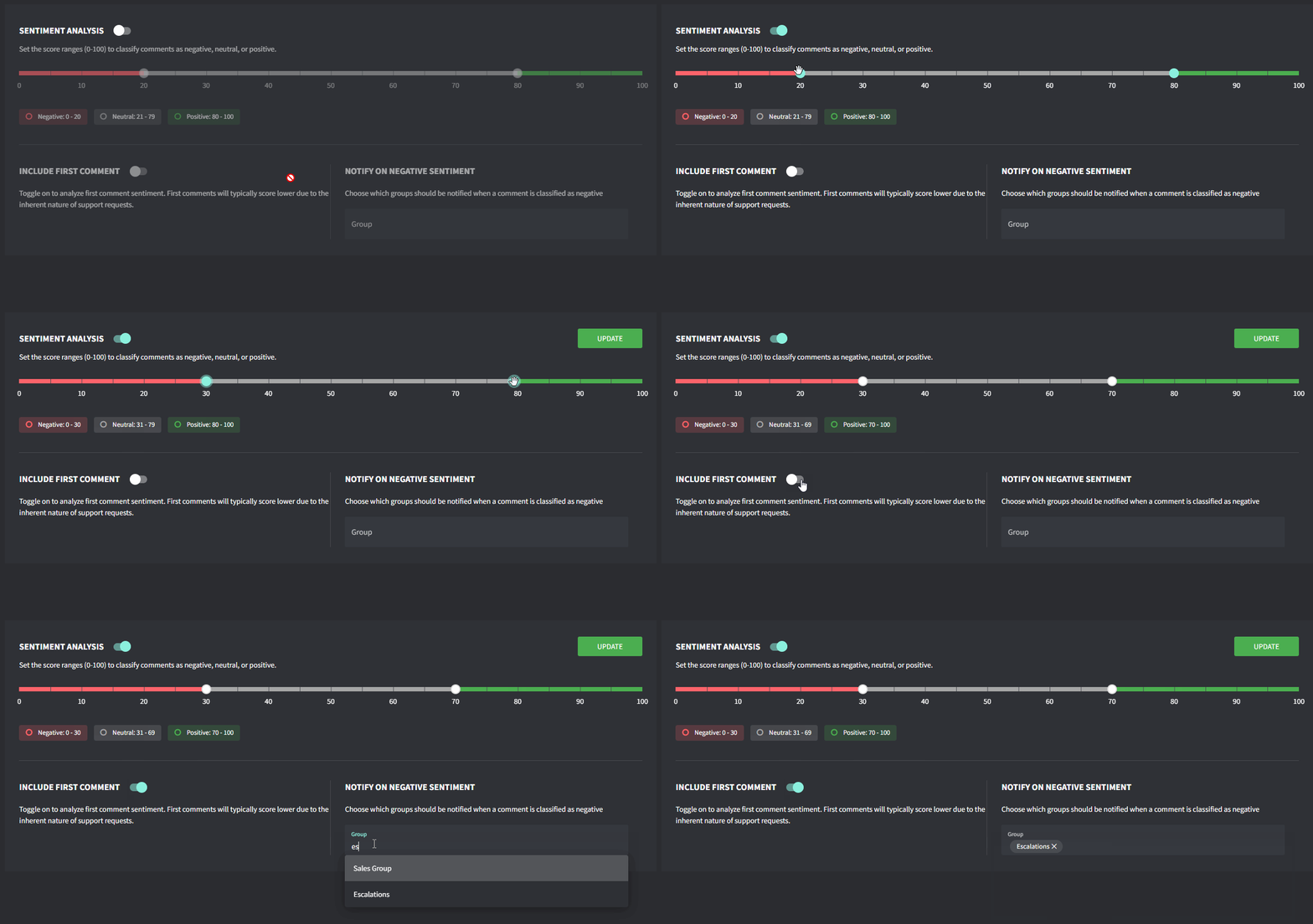
1. Go to **Settings → AI →** [**Sentiment Analysis**](https://app.gorelo.io/admin/admin-settings#ai#customersentiment)
2. Toggle **Sentiment Analysis** on
3. Set your **Score Range** and what you classify as Negative/Positive
4. Toggle whether you’d like to score the first comment.\
NOTE: First comments will typically score lower due to the inherent nature of support requests.
5. Select which **Groups** should receive notifications when a comment is classified as negative
6. Click **Update**
## Enable sentiment analysis
1. Go to **Settings → AI →** [**Sentiment Analysis**](https://app.gorelo.io/admin/admin-settings#ai#customersentiment)
2. Toggle **Sentiment Analysis** on
3. Set your **Score Range** and what you classify as Negative/Positive
4. Toggle whether you’d like to score the first comment.\
NOTE: First comments will typically score lower due to the inherent nature of support requests.
5. Select which **Groups** should receive notifications when a comment is classified as negative
6. Click **Update**
 ## How it works
* AI analyzes the text of each inbound comment (Public, Third Party, Approval)
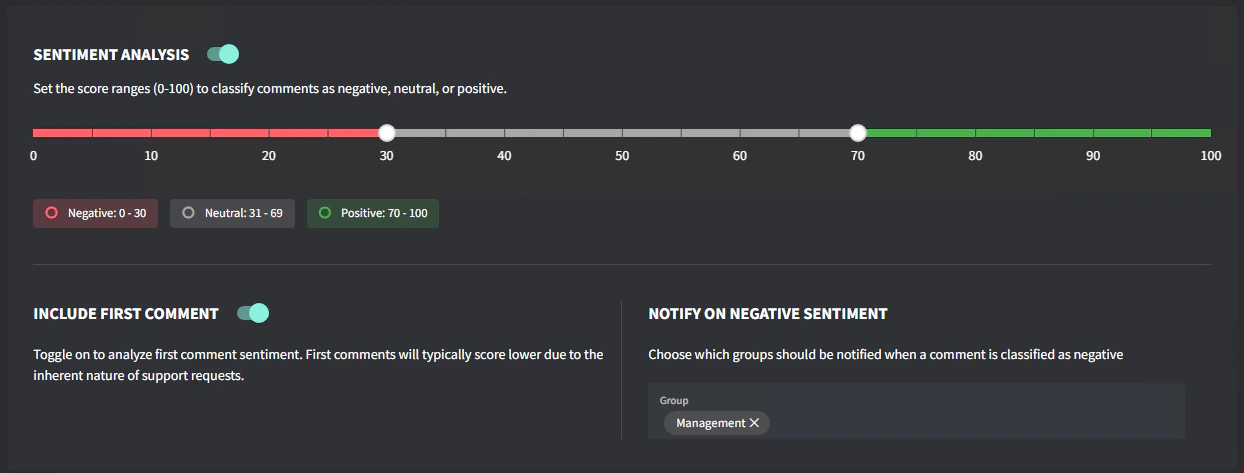
* Each comment receives a sentiment score (ranging from 1 to 100)
* Negative scores indicate unhappy clients (1 being extremely negative)
* When a comment's score falls below your negative threshold, notifications are sent to the designated groups
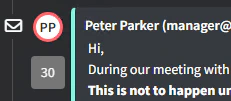
* To see the sentiment score, hover over the profile icon next to each comment in the ticket timeline
## How it works
* AI analyzes the text of each inbound comment (Public, Third Party, Approval)
* Each comment receives a sentiment score (ranging from 1 to 100)
* Negative scores indicate unhappy clients (1 being extremely negative)
* When a comment's score falls below your negative threshold, notifications are sent to the designated groups
* To see the sentiment score, hover over the profile icon next to each comment in the ticket timeline
 ## Troubleshooting
**Too many notifications?** Adjust your threshold to a lower value (more negative) to only be alerted for very negative comments.
**Missing negative comments?** Move your threshold to a higher value (less negative) to catch more subtle expressions of dissatisfaction.
**Non-English comments?** Sentiment Analysis supports multiple languages, but may be most accurate with English content.
## Troubleshooting
**Too many notifications?** Adjust your threshold to a lower value (more negative) to only be alerted for very negative comments.
**Missing negative comments?** Move your threshold to a higher value (less negative) to catch more subtle expressions of dissatisfaction.
**Non-English comments?** Sentiment Analysis supports multiple languages, but may be most accurate with English content.