> ## Documentation Index
> Fetch the complete documentation index at: https://help.gorelo.io/llms.txt
> Use this file to discover all available pages before exploring further.
# 核准與開立發票
> 在時間記錄與產品流入合約或發票之前,先於 Gorelo 中檢閱並核准,然後精確地為所有已完成的工作向客戶計費。
## 時間記錄與產品
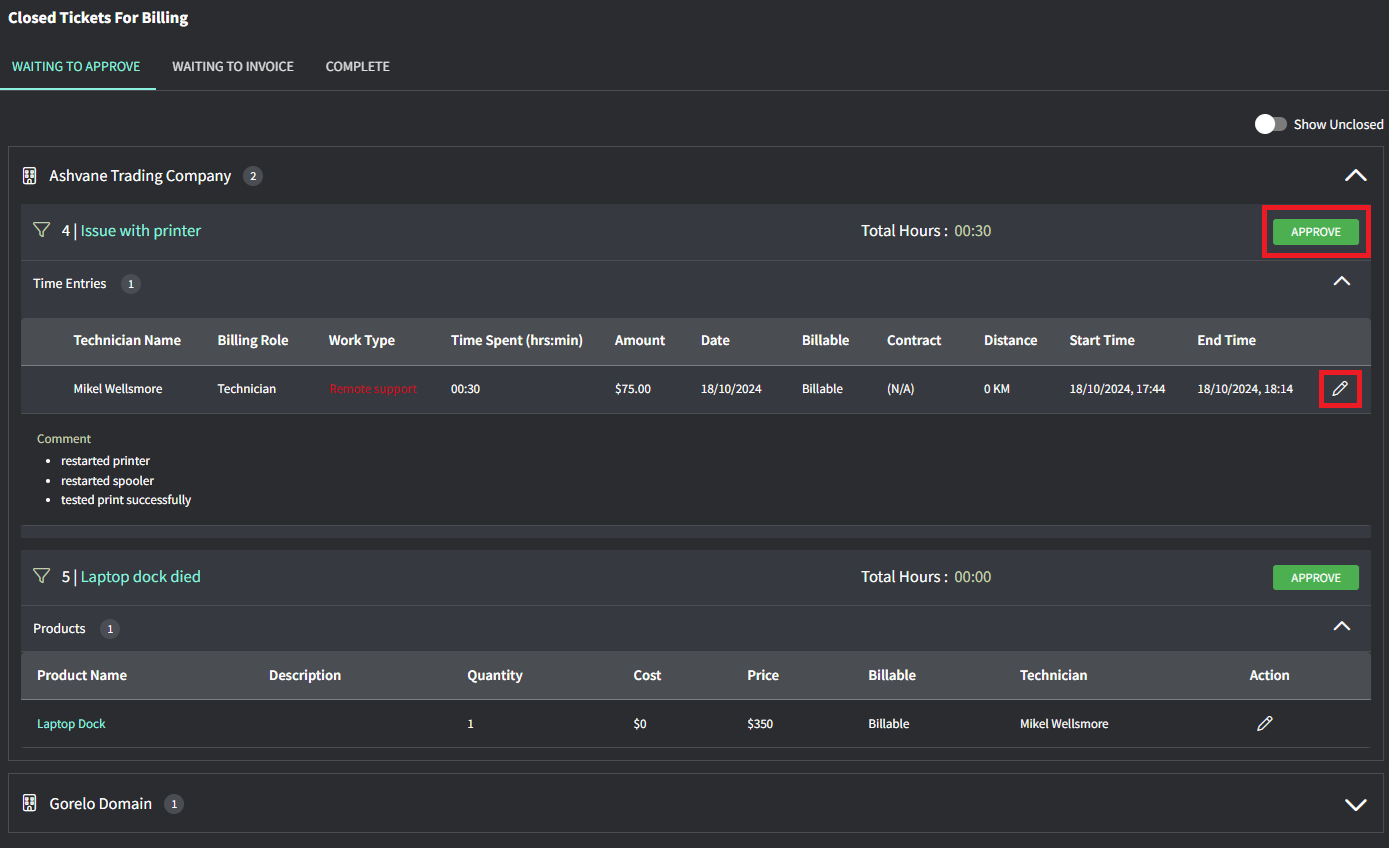
你會進入 **Waiting to Approve** 分頁,這裡會顯示所有需要在流入合約或發票之前先行核准的項目。
接著,當你對工單上的所有內容滿意時,點擊 **Approve**。
 小提示!
* 若該項目未關聯到任何合約,僅使用預設人工費率,**Contract** 欄位會顯示 **(N/A)**。
* 若時間記錄落在你設定的營業時間之外,Work Type 會以紅色顯示。
* 你可以在 **Waiting to Approve** 畫面右上角開啟「Show Unclosed」,為尚未關閉的工單部分計費時間與產品。
你會看到所有已核准且等待加入發票的項目。
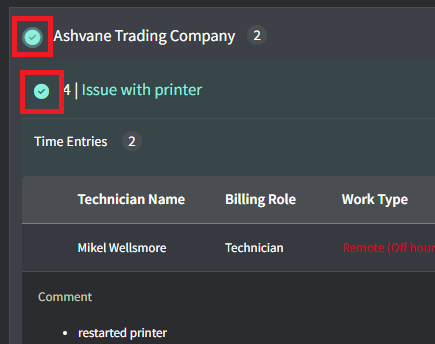
選擇下列其中一種:
* 個別工單
* 某個客戶的所有工單
小提示!
* 若該項目未關聯到任何合約,僅使用預設人工費率,**Contract** 欄位會顯示 **(N/A)**。
* 若時間記錄落在你設定的營業時間之外,Work Type 會以紅色顯示。
* 你可以在 **Waiting to Approve** 畫面右上角開啟「Show Unclosed」,為尚未關閉的工單部分計費時間與產品。
你會看到所有已核准且等待加入發票的項目。
選擇下列其中一種:
* 個別工單
* 某個客戶的所有工單
 使用它可以:
* **Generate Invoice**:建立一張新發票,包含所選工單的時間/產品。
* **Add to Invoice**:讓你選擇現有發票,並將所選工單的時間/產品加入其中。
* **Write off**:沖銷該工單的時間/產品,且不會產生任何發票。
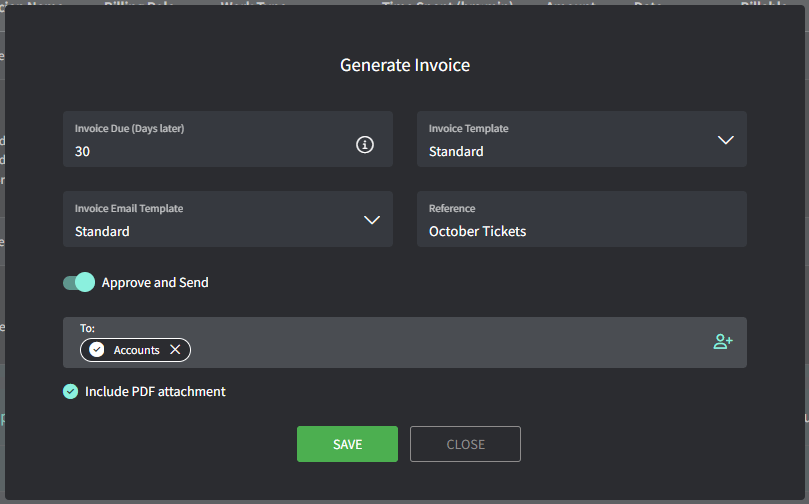
填入詳細資料,然後:
* 點擊 **Save** 產生草稿發票。
* 或開啟 **Approve and Send**,建立已核准的發票並寄送給所選聯絡人。
要寄出發票,客戶必須設定 **Billing Contacts**。若未設定,你可從發票中新增:
1. 在發票上點擊客戶名稱。
2. 在 **Location** 表格中,點擊**三點**圖示,然後點擊 **Edit location**。
3. 在 **Billing Contacts** 欄位,選擇現有聯絡人或新增一個。
4. 儲存後回到發票頁面寄出。
使用它可以:
* **Generate Invoice**:建立一張新發票,包含所選工單的時間/產品。
* **Add to Invoice**:讓你選擇現有發票,並將所選工單的時間/產品加入其中。
* **Write off**:沖銷該工單的時間/產品,且不會產生任何發票。
填入詳細資料,然後:
* 點擊 **Save** 產生草稿發票。
* 或開啟 **Approve and Send**,建立已核准的發票並寄送給所選聯絡人。
要寄出發票,客戶必須設定 **Billing Contacts**。若未設定,你可從發票中新增:
1. 在發票上點擊客戶名稱。
2. 在 **Location** 表格中,點擊**三點**圖示,然後點擊 **Edit location**。
3. 在 **Billing Contacts** 欄位,選擇現有聯絡人或新增一個。
4. 儲存後回到發票頁面寄出。