> ## Documentation Index
> Fetch the complete documentation index at: https://help.gorelo.io/llms.txt
> Use this file to discover all available pages before exploring further.
# 產生測試警示
> 在 Gorelo 中於線上的 agent asset 透過 GoreloAction CLI 指令產生測試警示,以驗證警示投遞與工單建立流程。
1. 從主選單前往 [**Assets List**](https://app.gorelo.io/Asset/asset-list)。
2. 點擊一個目前在線的 agent asset。
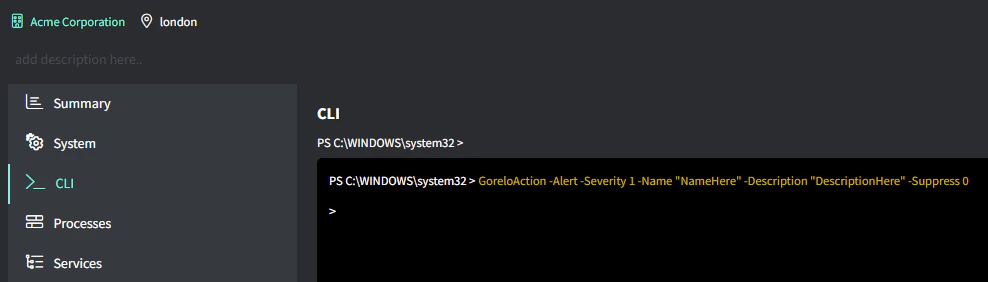
3. 前往左側的 **CLI** 分頁。
4. 將下列指令貼到資產的 CLI 中產生測試警示:
```text theme={null}
GoreloAction -Alert -Severity 1 -Name "NameHere" -Description "DescriptionHere" -Suppress 0
```
 更多細節請見 [**GoreloAction**](/gorelo-action-cli)。