> ## Documentation Index
> Fetch the complete documentation index at: https://help.gorelo.io/llms.txt
> Use this file to discover all available pages before exploring further.
# 產生表單連結
> 為 Gorelo 表單產生一次性提交連結,以透過電子郵件或直接從現有工單與客戶分享,進行自助式資料擷取。
1. 從選單前往 [**Forms**](https://app.gorelo.io/form/form-list)。
2. 在左側選擇表單。
3. 點擊右上角的 **Submission Link** 按鈕以複製連結。
**小提示!**
* 表單連結為一次性使用,並會在 7 天後過期
* 此表單會依[**表單設定**](/forms-overview#form-settings)產生新的工單
## 從現有工單產生表單連結
1. 建立或前往現有工單。
2. 在留言框中點擊**公開留言**。
 3. 輸入 **Click here** 並反白 **here**。
4. 點擊 **Generate form link** 按鈕。
3. 輸入 **Click here** 並反白 **here**。
4. 點擊 **Generate form link** 按鈕。
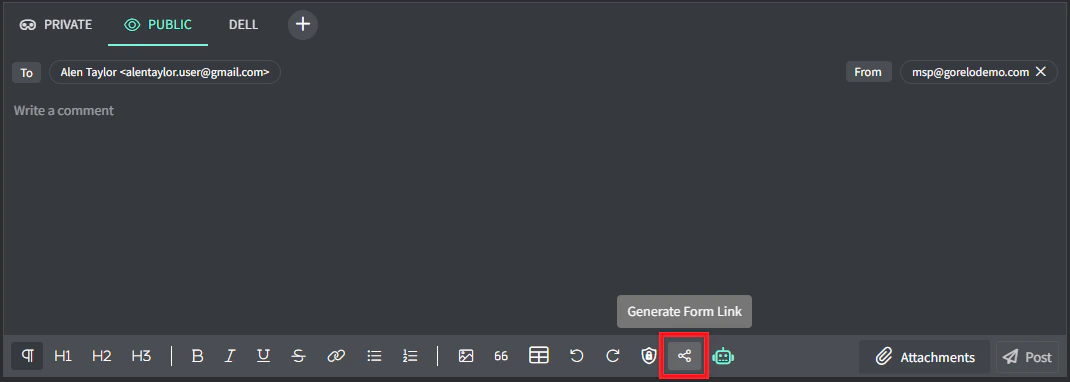 5. 點擊適當的表單以建立連結。
**小提示!**
* 表單連結為一次性使用,並會在 7 天後過期。
* 此表單會在現有工單上產生一筆提交。
5. 點擊適當的表單以建立連結。
**小提示!**
* 表單連結為一次性使用,並會在 7 天後過期。
* 此表單會在現有工單上產生一筆提交。