الانتقال إلى المحتوى الرئيسي
اتبع هذا الدليل لدمج أدوات أخرى في Gorelo، مثل Splashtop وAnyDesk وTeamViewer وغيرها. يمكنك دمج Gorelo مع أي أداة وصول عن بُعد تدعم التشغيل عبر URL، مثل Splashtop أو AnyDesk أو TeamViewer. يستخدم هذا المثال:
  • Splashtop Business
  • RustDesk
  • Webroot
1

إنشاء حقل الأصل المخصص.

  1. انتقل إلى Settings > Assets > Custom Fields.
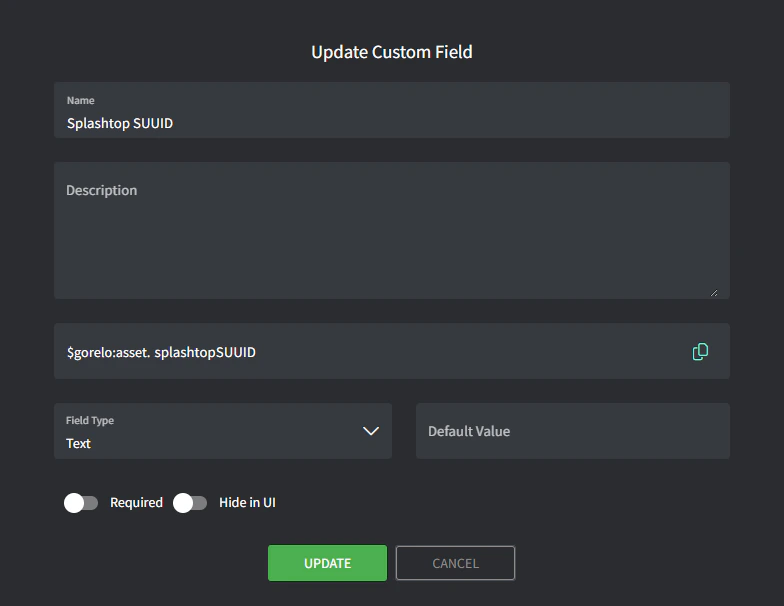
  2. أضف حقلًا مخصصًا بالتفاصيل التالية:
    • Name: Splashtop SUUID
    • Variable: splashtopSUUID
Image
2

كتابة النص البرمجي.

  1. انتقل إلى Scripts.
  2. أنشئ نصًا بالتفاصيل التالية:
    • Name: Store-SplashtopSUUID
    • Content:
# Define registry path for 64-bit machines
$regPath64 = "HKLM:\SOFTWARE\WOW6432Node\Splashtop Inc.\Splashtop Remote Server"

# Define the value name for the SUUID
$regValue = "SUUID"

# Try to retrieve the SUUID from the 64-bit registry
if (Test-Path $regPath64) {
    try {
        $suuid = Get-ItemProperty -Path $regPath64 -Name $regValue -ErrorAction Stop
        
        # Check if the SUUID value is present
        if ($suuid.$regValue) {
            $suuidValue = $suuid.$regValue
            Write-Output "Splashtop SUUID: $suuidValue"
            
            # Write the SUUID to the Gorelo custom field
            GoreloAction -SetCustomField -Name 'asset.splashtopSUUID' -Value $suuidValue
        } else {
            Write-Output "SUUID not found in the registry."
        }
    } catch {
        Write-Output "Error retrieving SUUID from the registry: $_"
    }
} else {
    Write-Output "Splashtop registry not found."
}
3

نشر النص البرمجي عبر سياسة.

  1. انتقل إلى Policies.
  2. حرّر سياسة موجودة تغطي الأصول التي تريد تخزين Splashtop SUUID لها.
  3. أضف نص Store-SplashtopSUUID واضبطه على التكرار يوميًا في الوقت المفضل لديك.
  4. احفظ ووزّع السياسة.
4

إنشاء الاختصار.

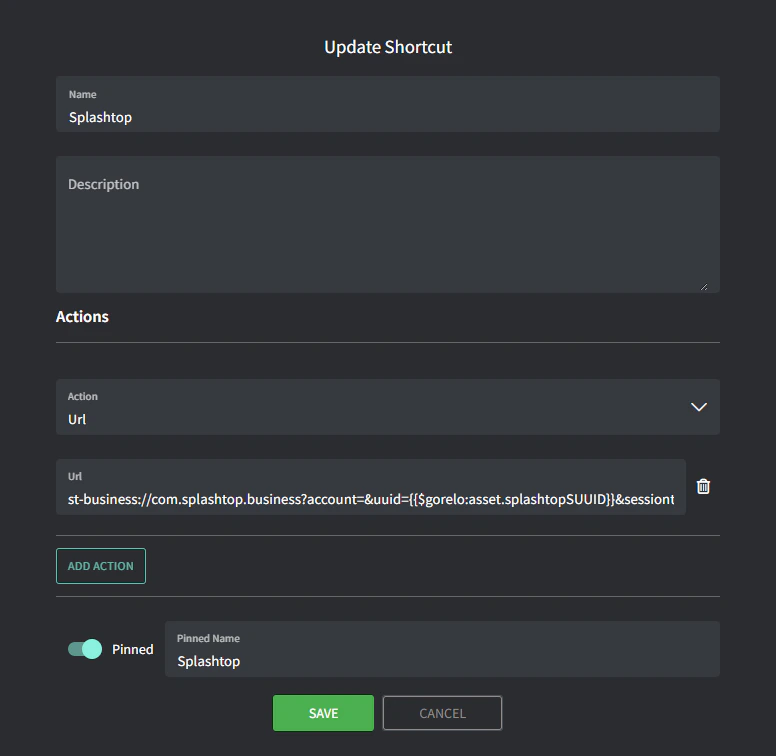
  1. انتقل إلى Asset Shortcuts.
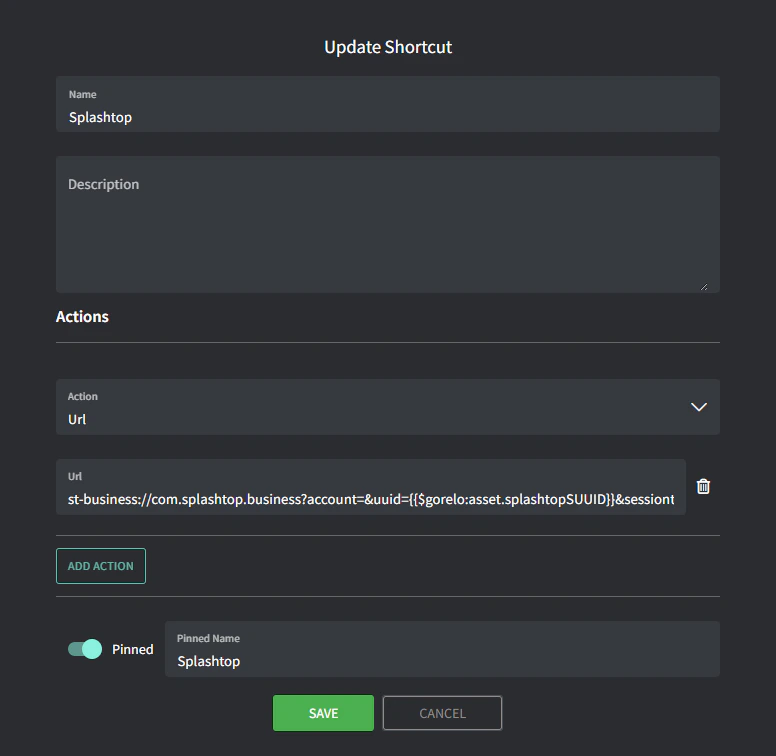
  2. أضف اختصارًا جديدًا بالتفاصيل التالية:
    • Name: Splashtop
    • URL: t-business://com.splashtop.business?account=&uuid={{$gorelo:asset.splashtopSUUID}}&sessiontype=remote
    • Pinned Name: Splashtop
      Image 94
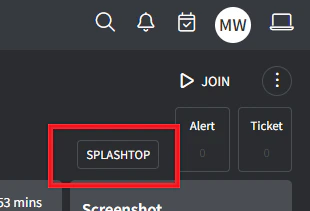
      يجب أن ترى الآن اختصار SPLASHTOP في الزاوية العلوية اليمنى من صفحة Asset Detail. إذا نجح النص في ملء متغير $gorelo:asset.splashtopSUUID، فسيشغّل هذا الاختصار تطبيق Splashtop Business.
      Image
لا يقوم الاختصار بتثبيت Splashtop — ستحتاج إلى استخدام نص آخر لذلك، على سبيل المثال:
# Installs Splashtop Streamer using the installer MSI uploaded to $gorelo:file.splashtopInstaller
# Runs a silent install using the 12-digit deployment key at $gorelo:client.splashtopKey

#Check for presence of SplashtopKey
if ([string]::IsNullOrEmpty($gorelo:client.splashtopKey)) {
Write-Output "No SplashTop Key stored for this client. Automatic installation cancelled."
GoreloAction -Alert -Severity 3 -Name "No Splashtop Key stored for this client" -Description "No Splashtop Key is stored in the client custom field so the automatic installation has been cancelled" -Suppress 0
} else {
Write-Output "Splashtop Key Found: " $gorelo:client.splashtopKey
Write-Output "Installer Path: " $gorelo:file.splashtopInstaller
}

#Install Splashtop
msiexec /i $gorelo:file.splashtopInstaller USERINFO="dcode=$gorelo:client.splashtopKey,hidewindow=1,confirm_d=0" /qn /norestart