1
إنشاء التطبيق في AzureAD.
- انتقل إلى Azure > Microsoft Entra ID.
- في القائمة اليسرى، انقر فوق App registrations.
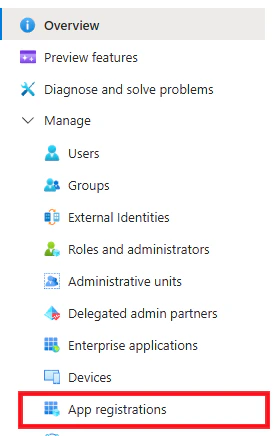
- انقر فوق +New registration.
- Name: Gorelo Calendar
- Supported account types: Accounts in this organizational directory only
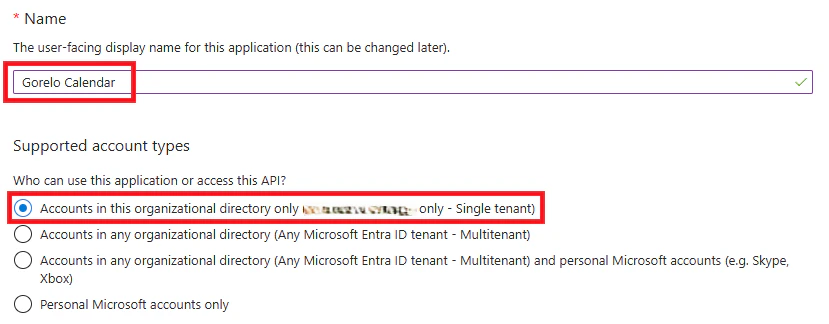
- انقر فوق Register.
- انتقل إلى API permissions من القائمة اليسرى.
- انقر فوق Add a permission:
- حدّد Microsoft Graph.
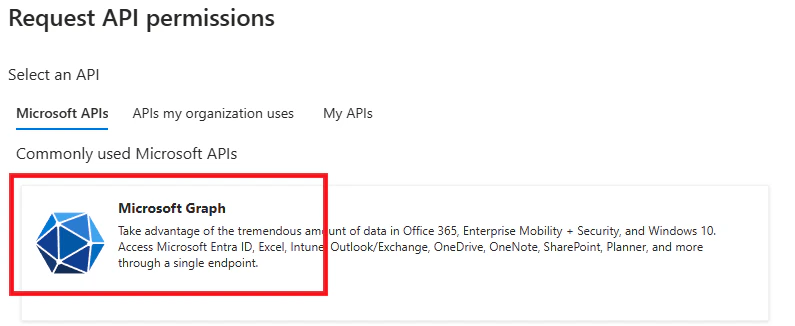
- حدّد Application permission.
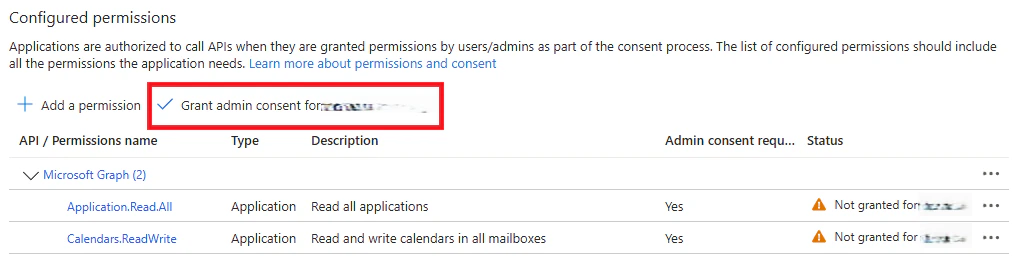
- حدّد الأذونات: Application.Read.All
- حدّد الأذونات: Calendars.ReadWrite
- حدّد Microsoft Graph.
- انقر فوق Add permissions.
- انقر فوق Grant admin consent للأذونات المُضافة حديثًا.
- انتقل إلى Certificates & secrets في القائمة اليسرى.
- انقر فوق + New client secret.
- أدخل وصفًا وتاريخ انتهاء الصلاحية.
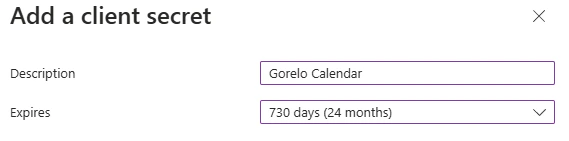
- انسخ Secret Value واحفظه لاحقًا.

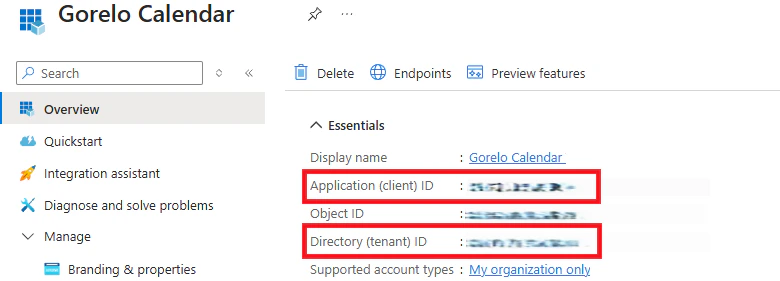
- انتقل إلى Overview في القائمة اليسرى.
- انسخ Application (client) ID وDirectory (tenant) ID واحفظهما لاحقًا.
2
التكامل في Gorelo.
- انتقل إلى Settings > Integrations.
- انقر فوق أيقونة ⚙️الترس لتكوين Outlook.
- أدخل Client ID وTenant ID وSecret Key التي حفظتها سابقًا.
- انقر فوق Connect.
- سيحتاج كل مستخدم بعد ذلك إلى تفعيل المزامنة عبر تقويمه في Gorelo.