新增外掛
- 前往 Policies。
- 選擇 Windows 分頁。
- 點擊 + Add 並選擇 Plugin。
- 從彈出視窗中選擇 Windows Patch Management。
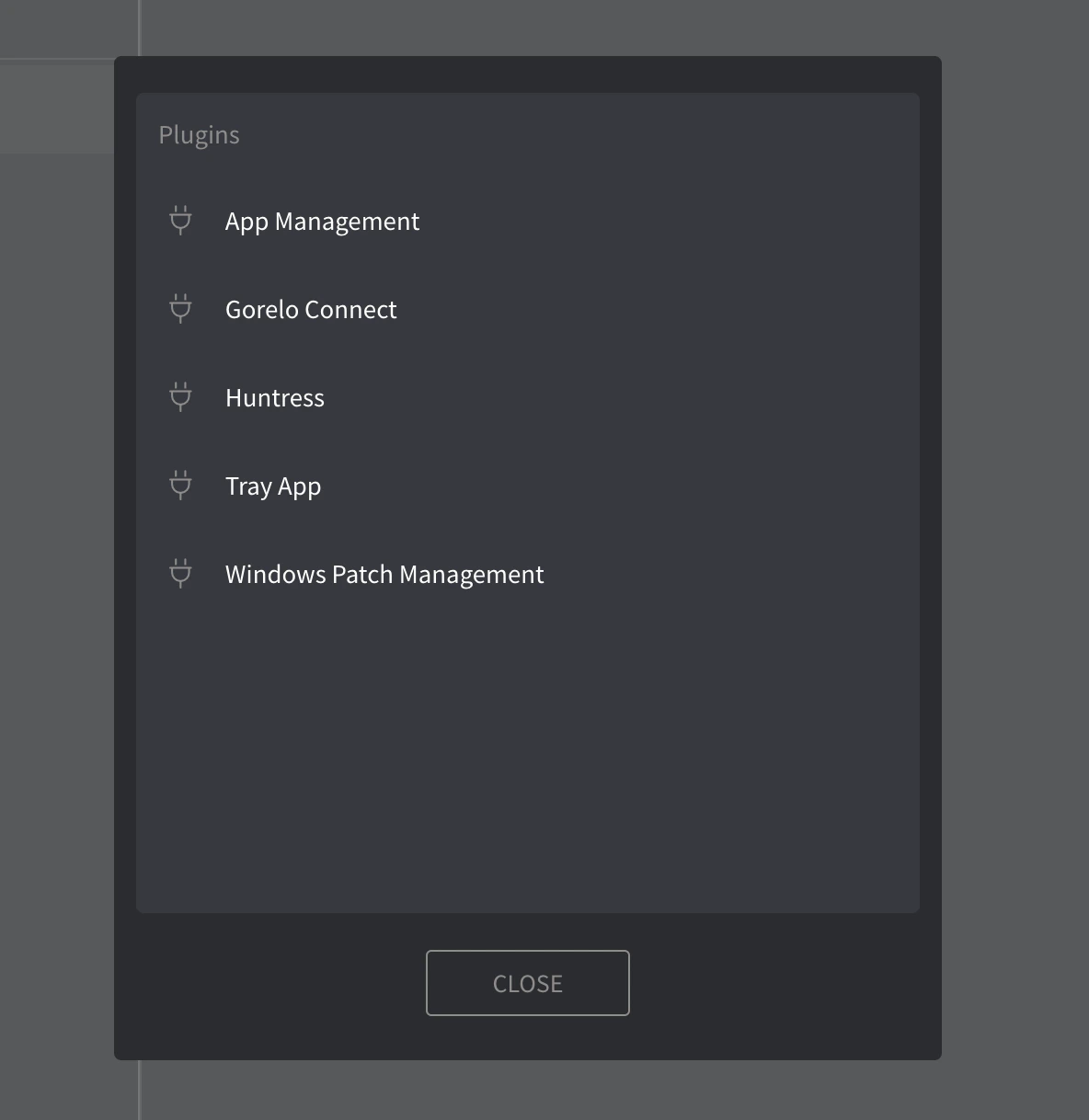
運作方式
此外掛透過本機原則設定 Windows Automatic Updates,讓裝置能依你在 Gorelo 政策中定義的設定自主接收、安裝並重新開機以套用更新。 套用後,這些設定會覆寫本機使用者偏好,並一直強制執行直到政策被移除或修改。更新設定
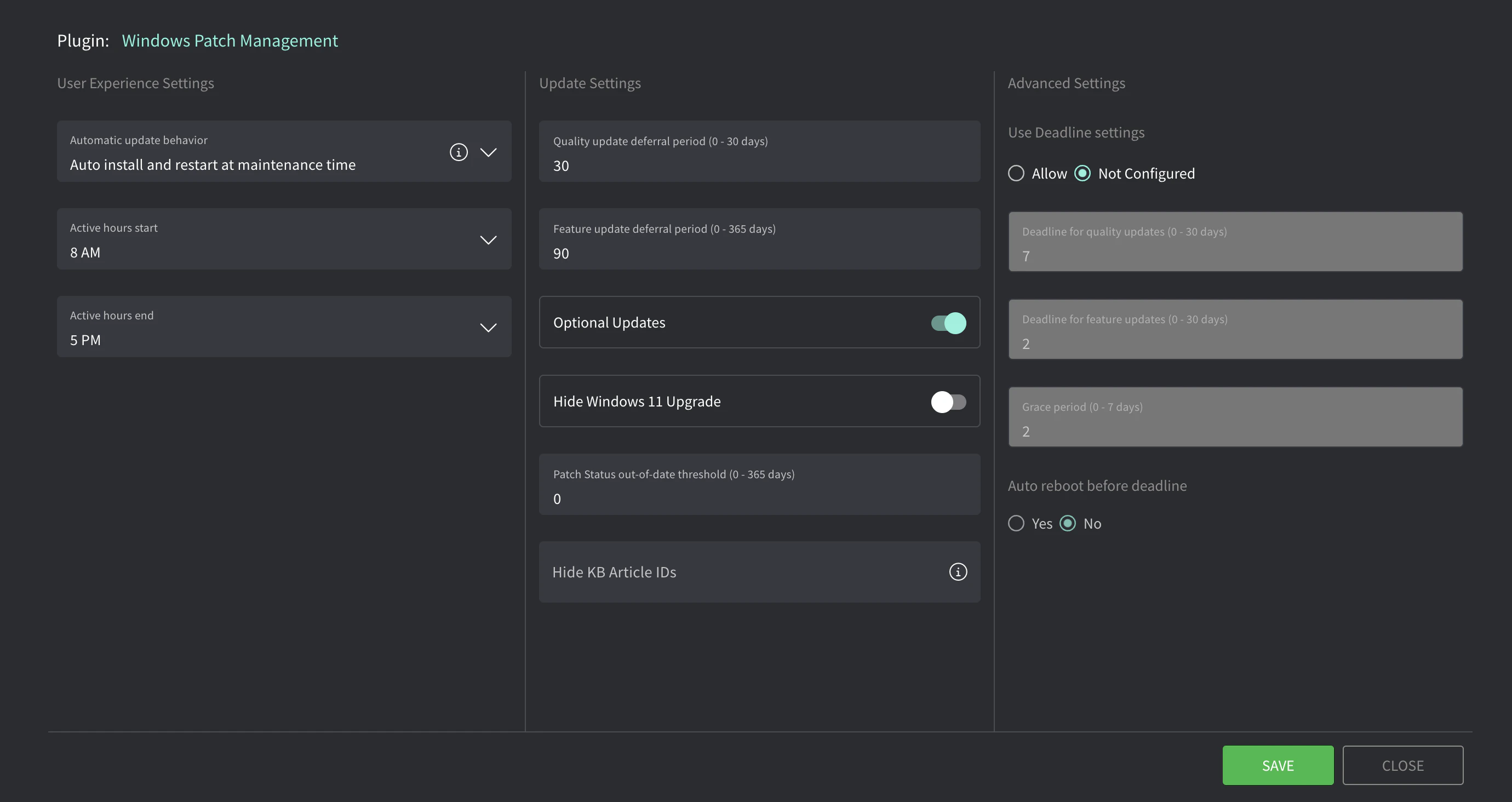
從你的 Policy 清單,點擊鉛筆圖示以編輯 Windows Patch Management 外掛設定。會開啟具有下列選項的彈出視窗。
| 設定 | 說明 |
|---|---|
| Automatic update behavior | 設定更新動作:Recommended: Auto install and restart at maintenance time。 Auto install and restart at maintenance time更新會自動下載,並在裝置未使用或未用電池供電時透過 Automatic Maintenance 安裝。需要重新開機時,裝置會在未使用時重新開機。可使用 Active hours 設定定義禁止自動重新開機的時段。 Auto download and schedule the install 自動下載更新並依下方指定的排程安裝。當預定的安裝時間選擇 「Automatic」 時,Windows 會自動檢查、下載並安裝更新。除非已在 「Always automatically restart at scheduled time」 中設定,否則裝置會依 Windows 預設設定重新開機 |
| Active hours start/end | 適用於「Auto install and restart at maintenance time」。可避免在工作時間內自動重新開機。 |
| Scheduled install day/time | 適用於「Auto download and schedule the install」。會在此日期/時間安裝更新。 |
OS 更新截止日
這些設定定義資產在強制執行前安裝更新的時間長度。若啟用,資產會先嘗試在一般維護時間安裝更新。若在截止日內未能完成,會進入寬限期,期間使用者會被提示排程重新開機。寬限期結束後,更新與重新開機會被強制執行。| 設定 | 說明 |
|---|---|
| Use Deadline settings | 啟用後,更新會在設定的時間內被強制執行。 |
| Deadline for quality updates | 更新提供後資產必須在進入寬限期前安裝的天數(0–30)。Recommended: 2 days |
| Deadline for feature updates | 更新提供後資產必須在進入寬限期前安裝的天數(0–30)。Recommended: 7 days |
| Grace period | 截止日後,使用者被提示重新開機或排程重新開機的天數(0–7)。之後裝置會強制重新開機。Recommended: 2 days |
| Auto reboot before deadline | 啟用後,可在截止日前讓系統自動重新開機以完成安裝。Recommended: Yes |
將這些設定與 CIS Controls、Essential Eight、NIST 等對齊時,延遲期 + 截止日 + 寬限期定義了總天數。例如,若你要求關鍵更新在發布後 7 天內安裝:
- Quality update 延遲期 = 3 天
- Deadline for quality updates = 2 天
- 寬限期 = 2 天
- 3 + 2 + 2 = 7 — 你已達到最大 7 天。