

1
与 Huntress 集成。
- 导航到 Settings > Integrations。
- 点击 ⚙️**齿轮** 图标以配置 Huntress。
- 填写必填字段。
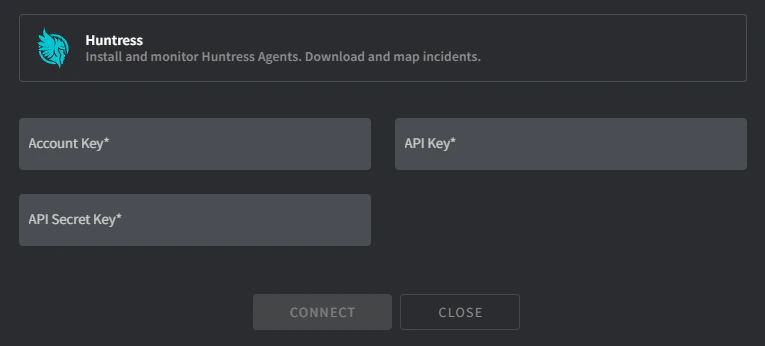
- Account Key:
- 导航到 https://[yourdomain].huntress.io/account/installer。
- 将 Account Key 复制到 Gorelo。
- API/Secret Key:
- 导航到 https://[yourdomain].huntress.io/account/api_credentials。
- 点击绿色的 Setup 按钮开始生成 API 密钥的过程。
- 将 API Key 和 API Secret Key 复制到 Gorelo。
- 点击 Connect,会出现 Client <-> Organization 映射屏幕。
- 将 Gorelo 客户映射到适当的 Huntress 组织。
- 完成后点击 Map。
2
分发 Huntress 插件。
- 在主菜单中导航到 Policies。
- 将 Huntress 插件添加到现有策略或创建新策略。
- 点击 Distribute。
查看 Huntress 状态
Gorelo 会在资产列表和资产详情页面上显示每个资产的 Huntress 状态。Huntress 告警
修复引发 Huntress 告警的问题后,你无需手动忽略该告警:- 当健康检查发现设备上正在运行 Huntress 时,Gorelo 会忽略该设备所有未处理的 Huntress 告警。
- 修复配置后,配置告警会自动清除。