1
在 AzureAD 中创建应用程序。
- 导航到 Azure > Microsoft Entra ID。
- 在左侧菜单中,点击 App registrations。
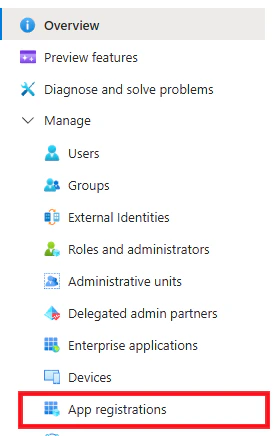
- 点击 +New registration。
- Name:Gorelo Calendar
- Supported account types:Accounts in this organizational directory only
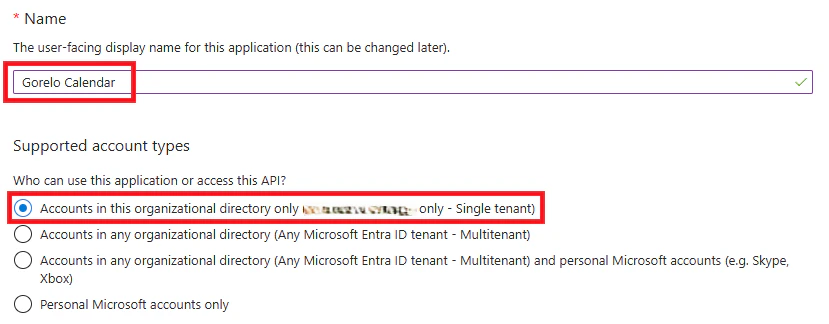
- 点击 Register。
- 从左侧菜单导航到 API permissions。
- 点击 Add a permission:
- 选择 Microsoft Graph。
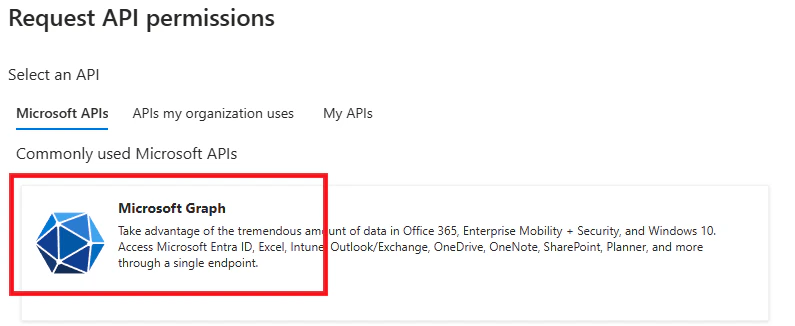
- 选择 Application permission。
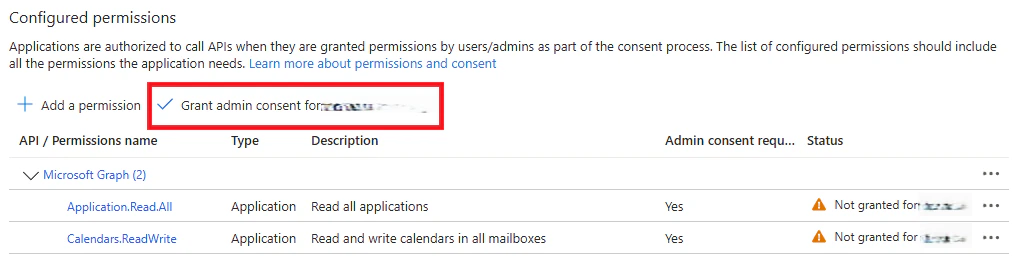
- 选择权限:Application.Read.All
- 选择权限:Calendars.ReadWrite
- 选择 Microsoft Graph。
- 点击 Add permissions。
- 为最近添加的权限点击 Grant admin consent。
- 在左侧菜单导航到 Certificates & secrets。
- 点击 + New client secret。
- 输入描述和过期时间。
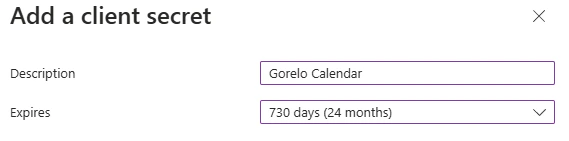
- 复制 Secret Value 并保存以备后用。

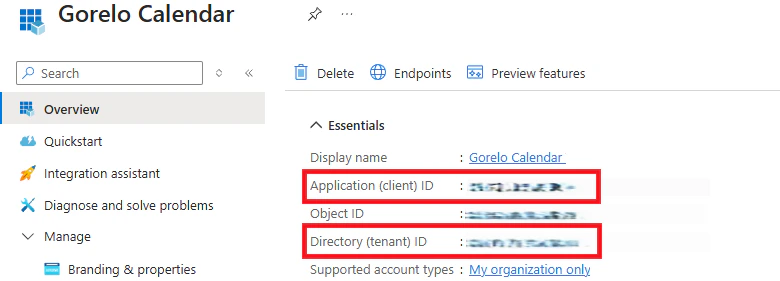
- 在左侧菜单导航到 Overview。
- 复制 Application (client) ID 和 Directory (tenant) ID 并保存以备后用。
2
在 Gorelo 中集成。
- 导航到 Settings > Integrations。
- 点击 ⚙️ 齿轮图标以配置 Outlook。
- 输入你先前保存的 Client ID、Tenant ID 和 Secret Key。
- 点击 Connect。
- 然后,每个用户都需要通过其在 Gorelo 中的日历打开同步开关。