1
在 AzureAD 中建立應用程式。
- 前往 Azure > Microsoft Entra ID。
- 在左側選單中點擊 App registrations。
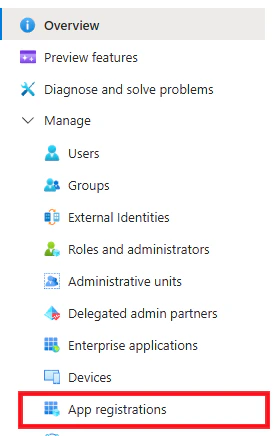
- 點擊 +New registration。
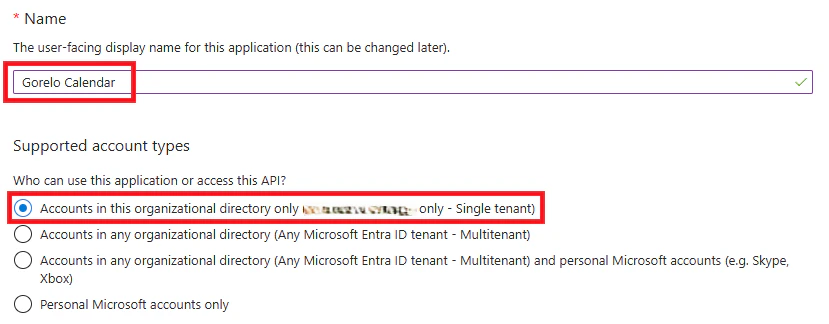
- Name:Gorelo Calendar
- Supported account types:Accounts in this organizational directory only
- 點擊 Register。
- 從左側選單前往 API permissions。
- 點擊 Add a permission:
- 選擇 Microsoft Graph。
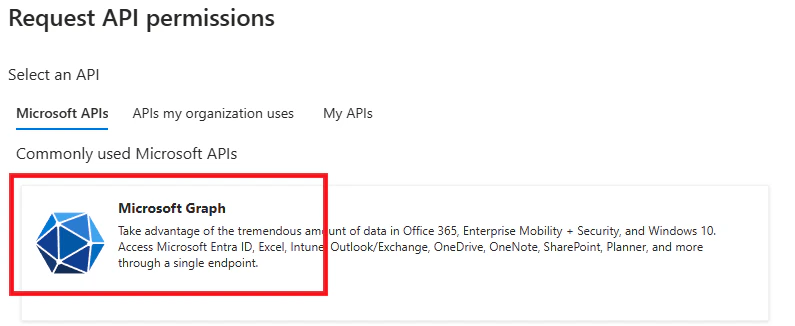
- 選擇 Application permission。
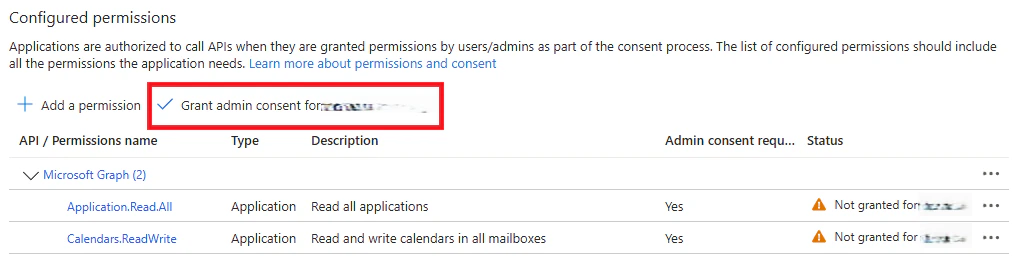
- 選擇權限:Application.Read.All
- 選擇權限:Calendars.ReadWrite
- 選擇 Microsoft Graph。
- 點擊 Add permissions。
- 為新增的權限點擊 Grant admin consent。
- 在左側選單前往 Certificates & secrets。
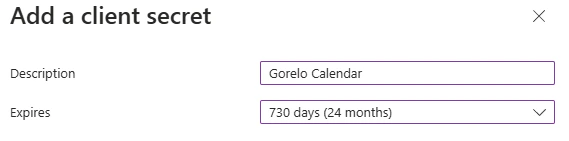
- 點擊 + New client secret。
- 輸入 Description 與 Expiration。
- 複製 Secret Value 並保存以備後用。

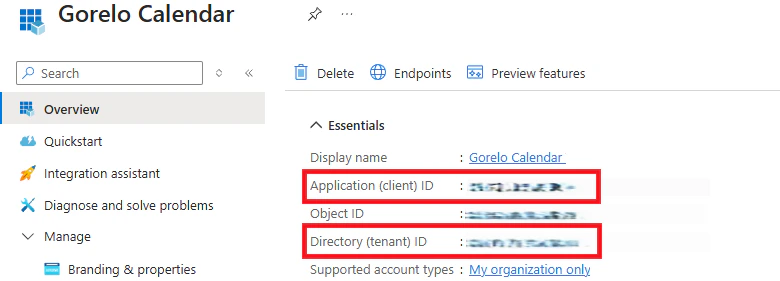
- 在左側選單前往 Overview。
- 複製 Application (client) ID 與 Directory (tenant) ID 並保存以備後用。
2
在 Gorelo 中整合。
- 前往 Settings > Integrations。
- 點擊 ⚙️齒輪 圖示以設定 Outlook。
- 輸入先前儲存的 Client ID、Tenant ID 與 Secret Key。
- 點擊 Connect。
- 每位使用者接著需透過 Gorelo 中的行事曆開啟同步。