

- Windows
- Mac
Install the generic Windows agent via PowerShell:
- Navigate to the Assets List in the main menu
-
Hover over the ‘+Assets’ button in the top-right and click ‘Agent Asset’
-
Click ‘Request Agent’ in the popup
- Copy the PowerShell command, paste into PowerShell on the target computer and press Enter
-
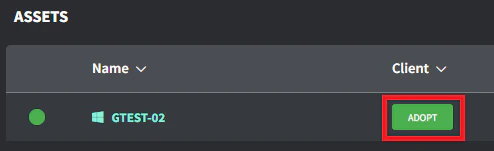
Click the ‘Adopt’ button in the Client/Location column once the agent asset appears in the asset list (this can take a few minutes to appear based on internet bandwidth)
- Select the correct Client/Location and click ‘Save’ to Adopt