

安裝通用 Windows 代理
1
在主選單中前往 Assets List
2
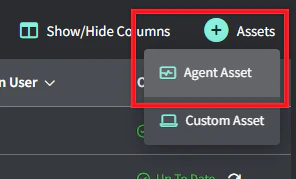
將滑鼠移至右上方的 +Assets 按鈕上,然後點擊 Agent Asset
3
選擇性:新增客戶與位置
4
複製指令並執行
- 選取目標電腦(Windows 或 Mac)。
- 複製該指令。
- 將其貼到目標電腦的 PowerShell 或終端機,然後按下 Enter。
5
採用 Agent
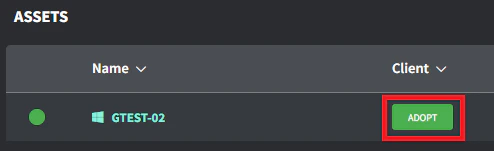
當該資產出現在資產清單後(依網際網路頻寬可能需要幾分鐘),前往 Client/Location 欄並點擊 Adopt 按鈕。
6
選擇正確的 Client/Location 並點擊 Save
您的資產現已連線至 Gorelo 中對應的客戶與位置。