跳转到主要内容
請依本指南在 Gorelo 中整合其他工具,例如 Splashtop、AnyDesk、TeamViewer 等。 只要遠端存取工具支援透過 URL 啟動,例如 Splashtop、AnyDesk 或 TeamViewer,你都可以與 Gorelo 整合。 此範例使用:
  • Splashtop Business
  • RustDesk
  • Webroot
1

建立自訂資產欄位。

  1. 前往 Settings > Assets > Custom Fields
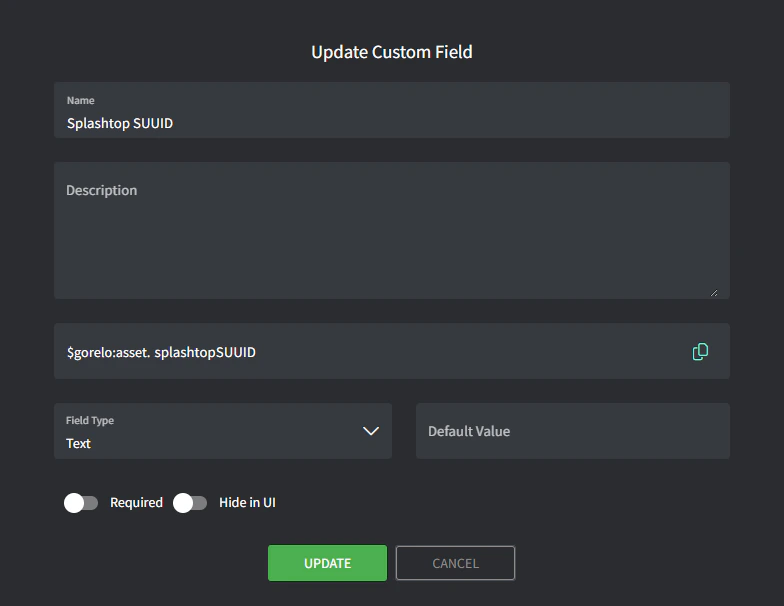
  2. 新增自訂欄位,內容如下:
    • NameSplashtop SUUID
    • VariablesplashtopSUUID
Image
2

撰寫指令稿。

  1. 前往 Scripts
  2. 建立指令稿,內容如下:
    • NameStore-SplashtopSUUID
    • Content
# Define registry path for 64-bit machines
$regPath64 = "HKLM:\SOFTWARE\WOW6432Node\Splashtop Inc.\Splashtop Remote Server"

# Define the value name for the SUUID
$regValue = "SUUID"

# Try to retrieve the SUUID from the 64-bit registry
if (Test-Path $regPath64) {
    try {
        $suuid = Get-ItemProperty -Path $regPath64 -Name $regValue -ErrorAction Stop
        
        # Check if the SUUID value is present
        if ($suuid.$regValue) {
            $suuidValue = $suuid.$regValue
            Write-Output "Splashtop SUUID: $suuidValue"
            
            # Write the SUUID to the Gorelo custom field
            GoreloAction -SetCustomField -Name 'asset.splashtopSUUID' -Value $suuidValue
        } else {
            Write-Output "SUUID not found in the registry."
        }
    } catch {
        Write-Output "Error retrieving SUUID from the registry: $_"
    }
} else {
    Write-Output "Splashtop registry not found."
}
3

透過政策部署指令稿。

  1. 前往 Policies
  2. 編輯涵蓋你想儲存 Splashtop SUUID 之資產的現有政策。
  3. 新增 Store-SplashtopSUUID 指令稿,並設定每天於你偏好的時間重複執行。
  4. Savedistribute 政策。
4

建立捷徑。

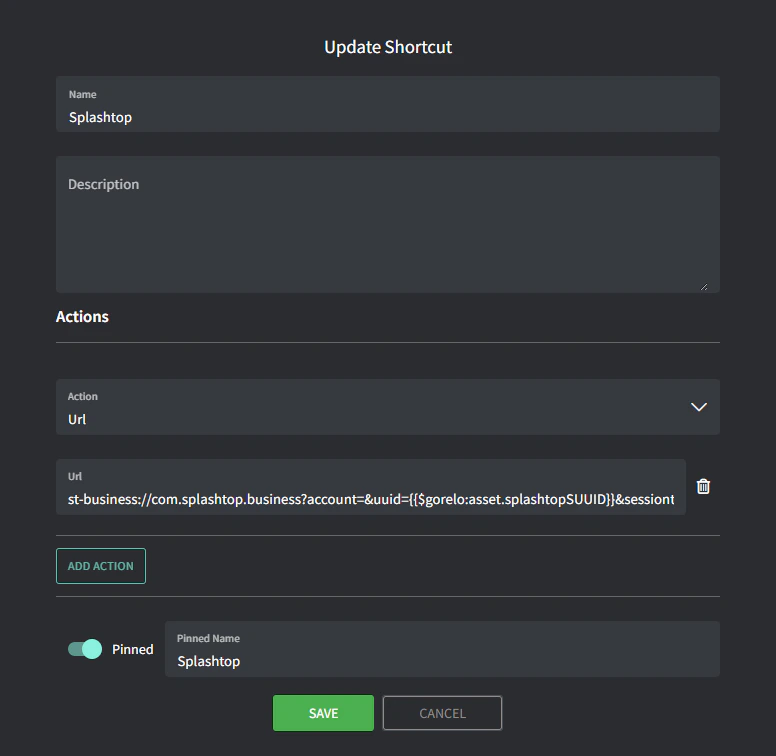
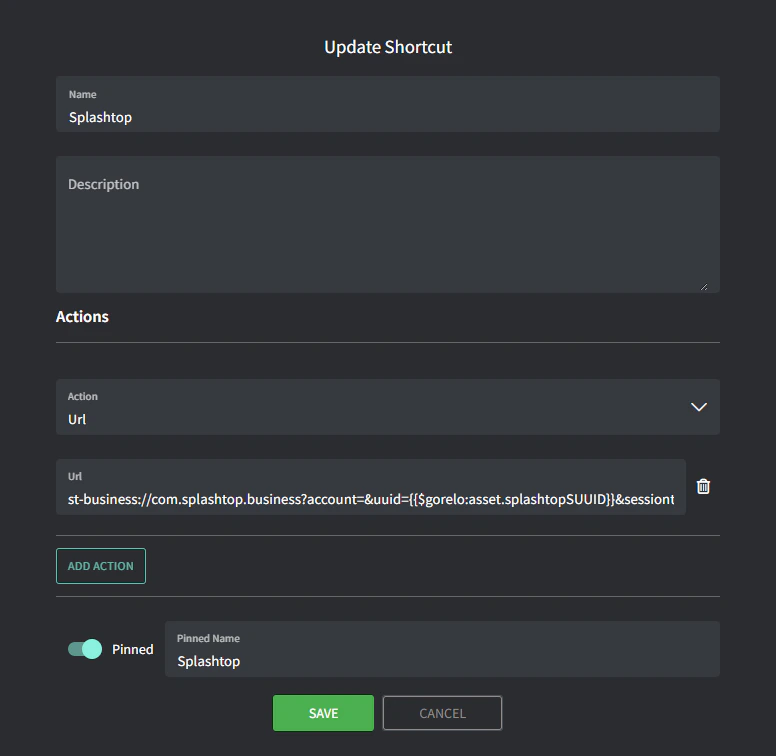
  1. 前往 Asset Shortcuts
  2. 新增捷徑,內容如下:
    • NameSplashtop
    • URLt-business://com.splashtop.business?account=&uuid={{$gorelo:asset.splashtopSUUID}}&sessiontype=remote
    • Pinned NameSplashtop
      Image 94
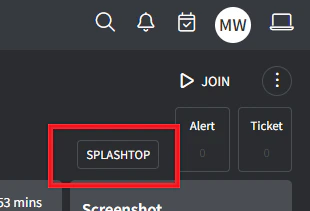
      你現在會在 Asset Detail 頁面右上角看到 SPLASHTOP 捷徑。如果指令稿成功填入 $gorelo:asset.splashtopSUUID 變數,此捷徑會啟動 Splashtop Business 應用程式。
      Image
捷徑不會安裝 Splashtop —— 需要另一個指令稿來執行此操作,例如:
# Installs Splashtop Streamer using the installer MSI uploaded to $gorelo:file.splashtopInstaller
# Runs a silent install using the 12-digit deployment key at $gorelo:client.splashtopKey

#Check for presence of SplashtopKey
if ([string]::IsNullOrEmpty($gorelo:client.splashtopKey)) {
Write-Output "No SplashTop Key stored for this client. Automatic installation cancelled."
GoreloAction -Alert -Severity 3 -Name "No Splashtop Key stored for this client" -Description "No Splashtop Key is stored in the client custom field so the automatic installation has been cancelled" -Suppress 0
} else {
Write-Output "Splashtop Key Found: " $gorelo:client.splashtopKey
Write-Output "Installer Path: " $gorelo:file.splashtopInstaller
}

#Install Splashtop
msiexec /i $gorelo:file.splashtopInstaller USERINFO="dcode=$gorelo:client.splashtopKey,hidewindow=1,confirm_d=0" /qn /norestart