

- Cove
- SentinelOne
- BitDefender
- Webroot
- Cove
- SentinelOne
- BitDefender
- Webroot
1
建立客戶自訂欄位。
- 前往 Settings > CRM > Custom Fields。
- 新增自訂欄位,內容如下:
- Name:Cove Customer UID
- Variable:CoverCustomerUID
2
為每個客戶填入 Cove Customer UID。
- 前往特定客戶。
- 點擊 Custom Fields。
- 編輯 Cove Customer UID。
- 輸入從 Cove 取得的 Customer UID。
3
撰寫指令稿。
- 前往 Scripts。
- 建立指令稿,內容如下:
- Name:Install-Cove
- Content:
# ===== Configuration Variables =====
$CUSTOMERUID = $gorelo:client.CoveCustomerUID
$PROFILEID = "All-in" # Default retention policy
$PRODUCT = "0" # Profile ID (use "0" for no profile or a specific profile ID)
$DOWNLOADPATH = "C:\Windows\Temp"
# ===================================

$startTime = Get-Date
$INSTALL = "$DOWNLOADPATH\bm#$CUSTOMERUID#$PROFILEID#.exe"

# Download installer
try {
    [Net.ServicePointManager]::SecurityProtocol = [Net.SecurityProtocolType]::Tls12
    (New-Object System.Net.WebClient).DownloadFile("https://cdn.cloudbackup.management/maxdownloads/mxb-windows-x86_x64.exe", "$INSTALL")
} catch {
    Write-Output "ERROR: Failed to download installer - $_"
    exit 1
}

# Run installer
try {
    Start-Process -FilePath $INSTALL -ArgumentList "-product-name `"$PRODUCT`"" -Wait -NoNewWindow
    Start-Sleep -Seconds 5
} catch {
    Write-Output "ERROR: Installation failed - $_"
    exit 1
}

# Verify installation
$service = Get-Service -Name "Backup Service Controller" -ErrorAction SilentlyContinue
$process = Get-Process -Name "BackupFP" -ErrorAction SilentlyContinue

if ($service.Status -eq 'Running' -and $process) {
    Write-Output "SUCCESS: Backup Service Controller is running and BackupFP process is active."
    Write-Output "Installed for Customer UID: $CUSTOMERUID"
    $exitCode = 0
} else {
    Write-Output "WARNING: Backup Service Controller or BackupFP process is not running as expected."
    Write-Output "Customer UID: $CUSTOMERUID"

    # Check log for errors
    $logDirectory = "C:\ProgramData\mxb\Backup Manager\logs\ClientTool"
    if (Test-Path $logDirectory) {
        $latestLog = Get-ChildItem -Path $logDirectory -Filter "*.log" | Sort-Object LastWriteTime -Descending | Select-Object -First 1
        if ($latestLog) {
            $errorLines = Get-Content -Path $latestLog.FullName | Where-Object { $_ -match '\[E\]' } | Select-Object -Last 3
            if ($errorLines) {
                Write-Output "Recent errors from log:"
                $errorLines | ForEach-Object { Write-Output $_ }
            }
        }
    }
    $exitCode = 1
}

$endTime = Get-Date
Write-Output "Installation completed in $([math]::Round(($endTime - $startTime).TotalSeconds, 2)) seconds."
exit $exitCode
1
建立客戶自訂欄位。
- 前往 Settings > CRM > Custom Fields:
- 新增自訂欄位,內容如下:
- Name:SentinelOne Site Token
- Variable:s1token
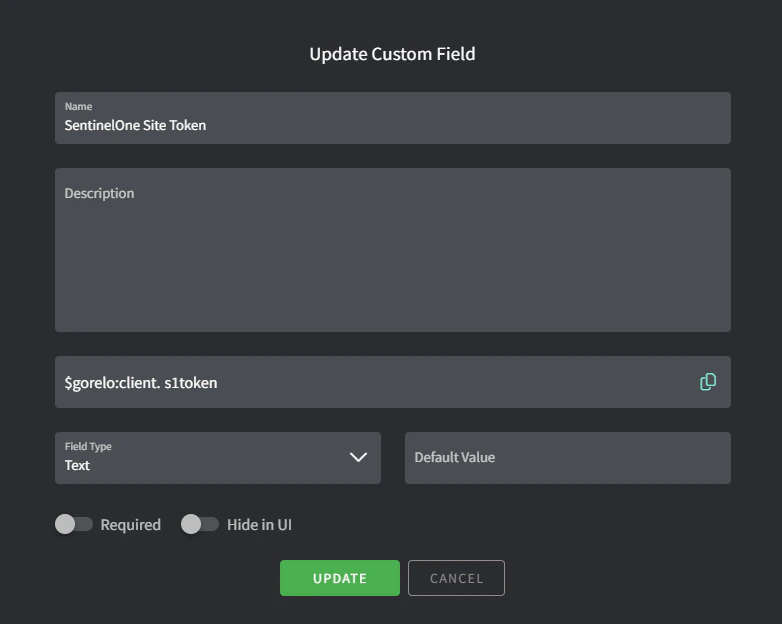
2
為每個客戶填入軟體 token。
- 前往特定客戶
- 點擊 Custom Fields。
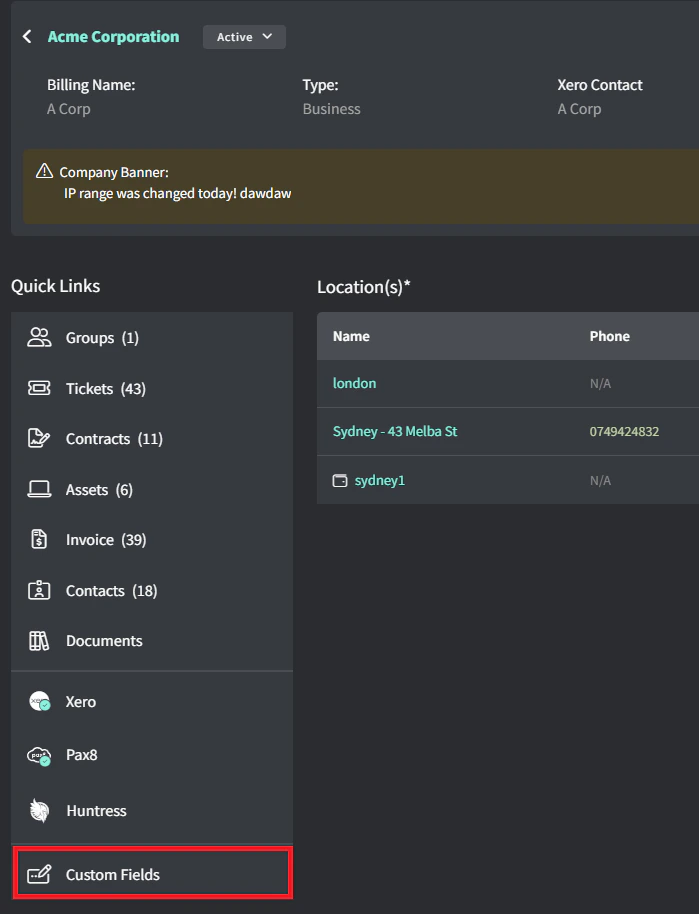
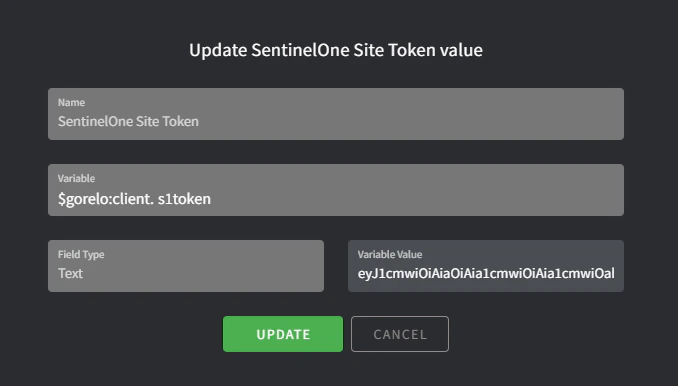
- 編輯 SentinelOne Site Token。
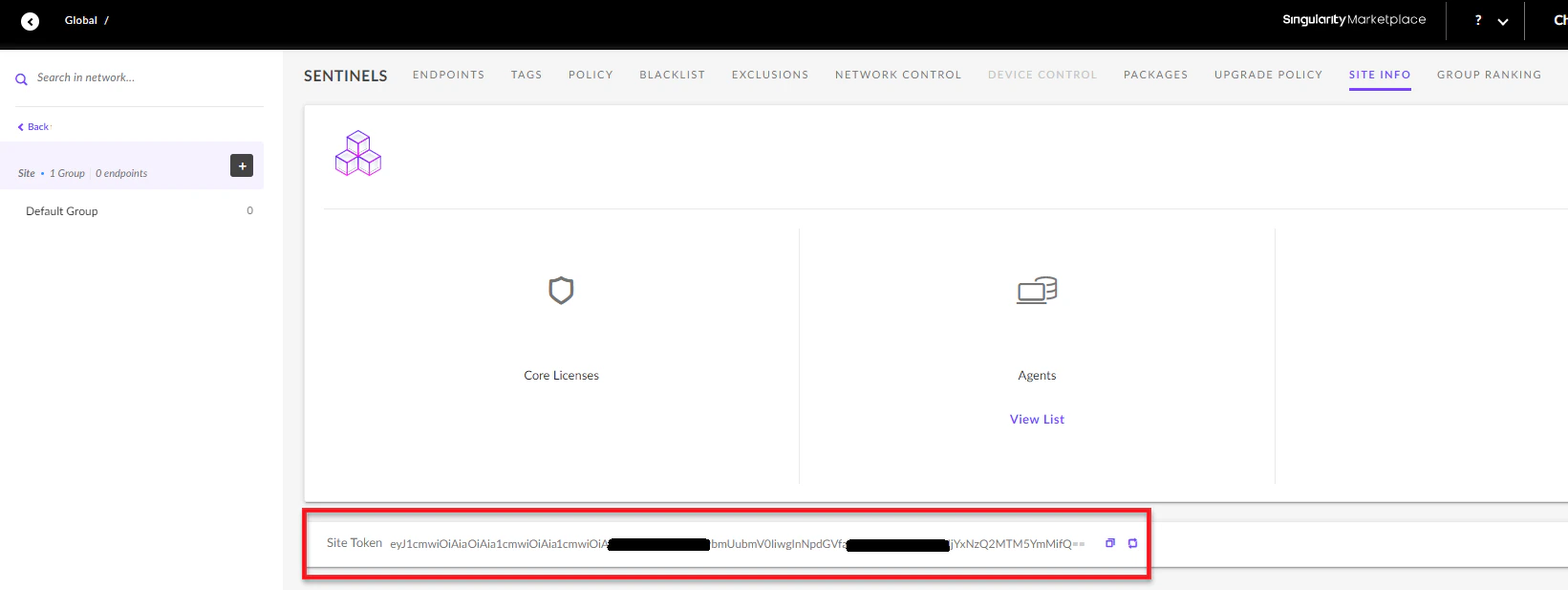
- 輸入從 SentinelOne 取得的 Site Token。
可從 https://<DomainName>.sentinelone.net/dashboard 取得你的 SentinelOne Site Token。前往一個 Site,然後到 Site Info 分頁。
3
建立安裝檔。
- 前往 Settings > Asset > Files。
- 新增檔案,內容如下:
- File:上傳最新的 MSI 安裝檔
- Variable:S1Installer
4
撰寫指令稿。
- 前往 Scripts。
- 建立指令稿,內容如下:
- Name:Install-SentineOne。
- Content:
#Silently install SentinelOne

if($gorelo:client.s1token){

  $S1Service = get-service -Name 'Sentinel Agent' -ErrorAction SilentlyContinue

  if($S1Service -eq $null){

        msiexec /i $gorelo:file.S1Installer SITE_TOKEN=$gorelo:client.s1token /quiet /norestart

  }
}
5
透過政策部署指令稿。
- 前往 Policies。
- 編輯涵蓋你想安裝 SentinelOne 之資產的現有政策。
- 新增 Install-SentineOne 指令稿,並設定每天於你偏好的時間重複執行。
- Distribute 政策。
1
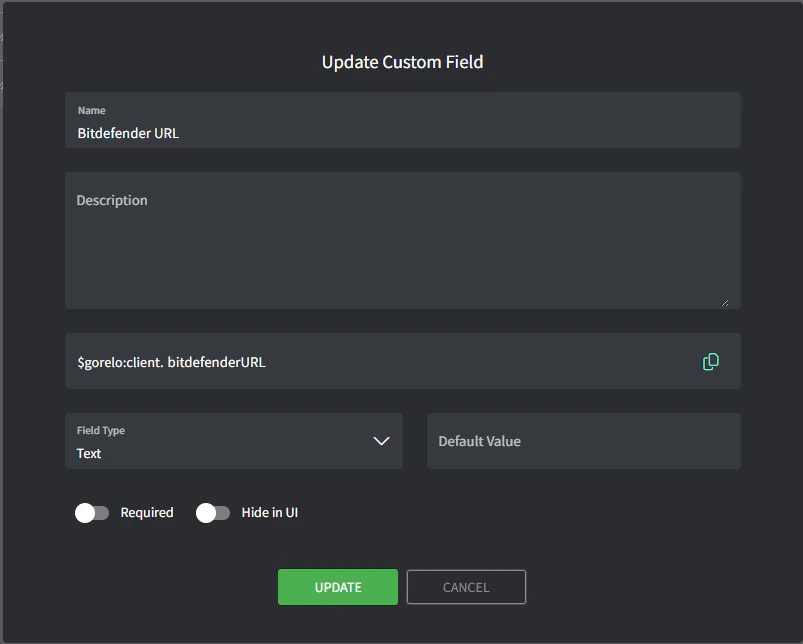
建立客戶自訂欄位。
- 前往 Settings > CRM > Custom Fields。
- 新增自訂欄位,內容如下:
- Name:Bitdefender URL
- Variable:bitdefenderURL
2
為每個客戶填入 BitDefender URL。
- 前往特定客戶。
- 點擊 Custom Fields。
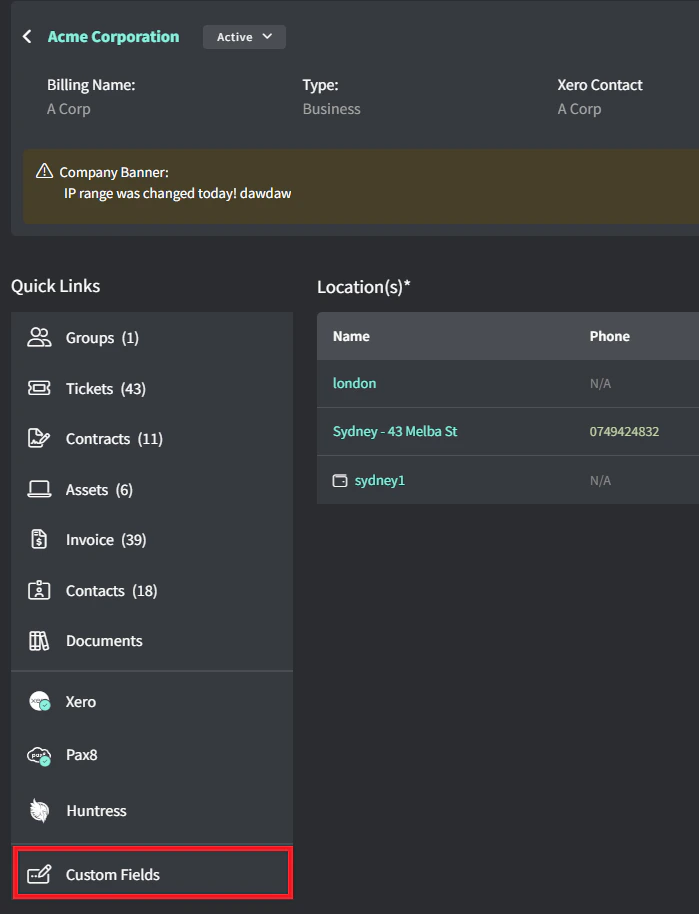
- 編輯 Bitdefender URL。
- 為每個客戶輸入從 Bitdefender 取得的安裝 exe URL。
 Bitdefender 安裝 exe 的 URL 應如下(虛構範例):
htttps://cloudgz.gravityzone.bitdefender.com/Packages/BSTWIN/0/setupdownloader_[aHR0cHM6Ly9jbG91ZGdLWDawWVjcy5ncR5em9uZS5iaXRkZWZl3ddwawGfawdmRlci5jb20vUGFja2FnZXMvQlNUV0lOLzAvdkluc3RhbGxlci54bw-bGFuZz1lbi1VUw==].exe
3
撰寫指令稿。
- 前往 Scripts。
- 建立指令稿,內容如下:
- Name:Install-Bitdefender
- Content:
#$gorelo:client.bitdefenderURL

# Check if Bitdefender is already installed
if (Get-Service -Name "EPProtectedService" -ErrorAction SilentlyContinue) {
    Write-Host "Bitdefender is already installed. Skipping installation."
    exit 0
}

# Proceed with installation
$url = $gorelo:client.bitdefenderURL
$filename = Split-Path $url -Leaf
$installer = Join-Path $env:TEMP $filename

Write-Host "Downloading Bitdefender installer..."
(New-Object System.Net.WebClient).DownloadFile($url, $installer)

Write-Host "Installing Bitdefender..."
Start-Process -FilePath $installer -ArgumentList "/silent" -Wait
Remove-Item -LiteralPath $installer

# Verify installation
Start-Sleep -Seconds 10  # Give the service time to start
$service = Get-Service -Name "EPProtectedService" -ErrorAction SilentlyContinue

if ($service -and $service.Status -eq "Running") {
    Write-Host "Installation successful! EPProtectedService is running."
    exit 0
} else {
    Write-Host "Installation may have failed. EPProtectedService not found or not running."
    exit 1
}
4
透過政策部署指令稿。
- 前往 Policies。
- 編輯涵蓋你想安裝 Bitdefender 之資產的現有政策。
- 新增 Install-Bitdefender 指令稿,並設定每天於你偏好的時間重複執行。
- Distribute 政策。
1
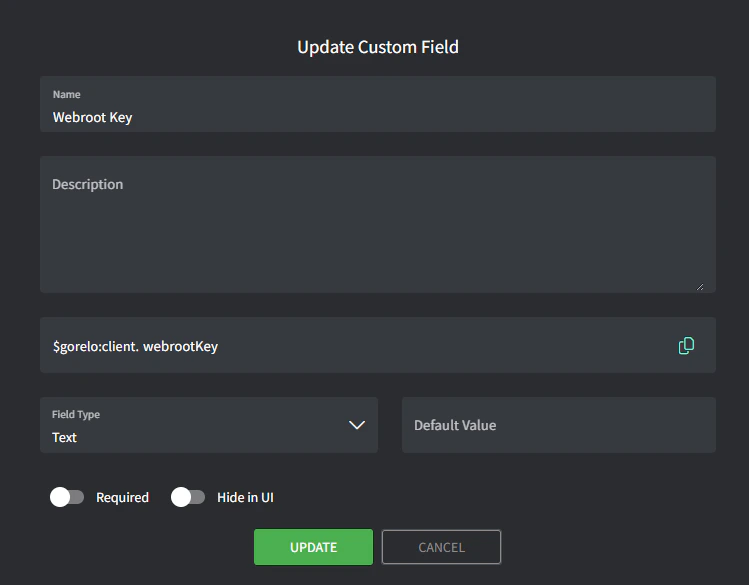
建立客戶自訂欄位。
- 前往 Settings > CRM > Custom Fields。
- 新增自訂欄位,內容如下:
- Name:Webroot Key
- Variable:webrootKey
2
為每個客戶填入 Webroot key。
- 前往特定客戶。
- 點擊 Custom Fields。
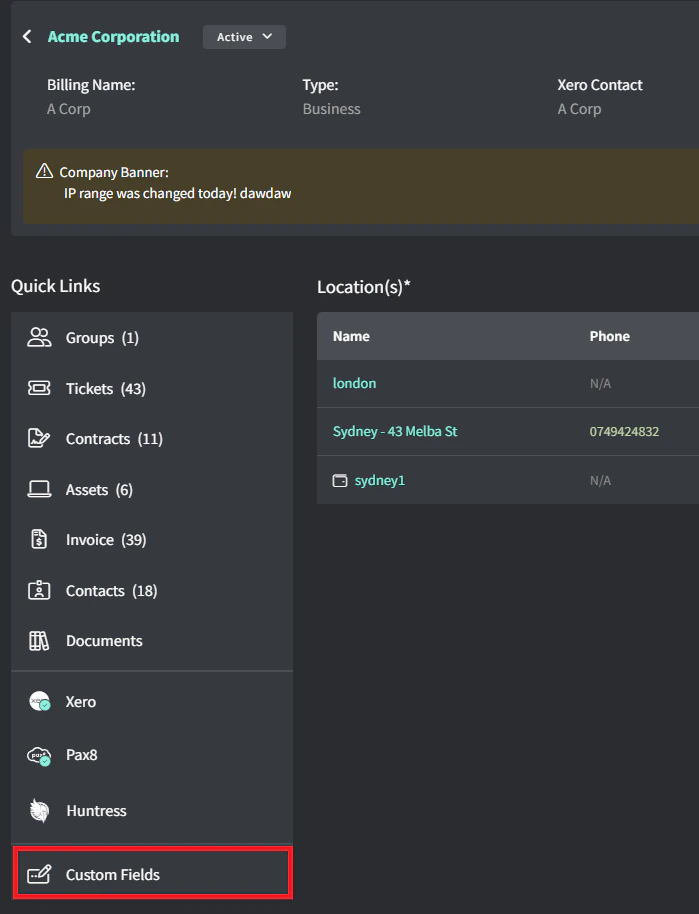
- 編輯 Webroot Key。
- 輸入**從 Webroot 取得的** Webroot Key。
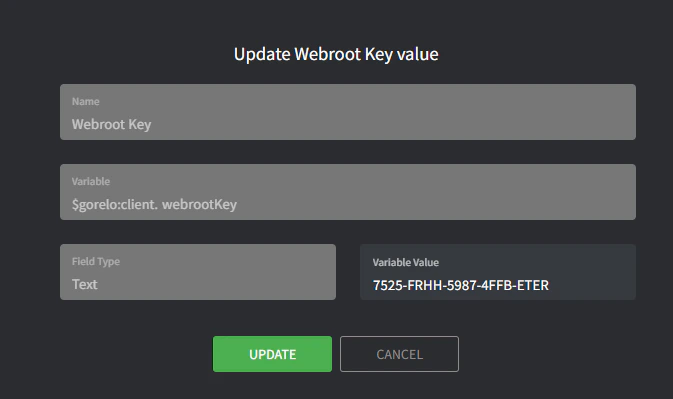
3
建立安裝檔。
- 前往 Settings > Asset > Files。
- 新增檔案,內容如下:
- File:上傳最新的 MSI 安裝檔
- Variable:webrootInstaller
4
建立指令稿。
- 前往 Scripts。
- 建立指令稿,內容如下:
- Name:Install-Webroot
- Content:
# Silently install Webroot
if($gorelo:client.webrootKey){
    $WebrootService = Get-Service -Name 'WRSVC' -ErrorAction SilentlyContinue
    if($WebrootService -eq $null){
        msiexec /i $gorelo:file.webrootInstaller GUILIC=$gorelo:client.webrootKey CMDLINE=SME,quiet /qn /l*v install.log
    }
}
5
透過政策部署指令稿
- 前往 Policies。
- 編輯涵蓋你想安裝 Webroot 之資產的現有政策。
- 新增 Install-Webroot 指令稿,並設定每天於你偏好的時間重複執行。
- Distribute 政策。