

Install the Agent Asset
1
Navigate to the Assets List in the main menu
2
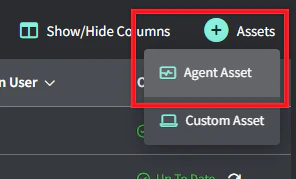
Hover over the +Assets button in the top right and click Agent Asset
3
Optional: Add a client and a location
4
Copy the command and run it
- Select the target computer (Windows or Mac).
- Copy the command.
- Paste it into PowerShell or the terminal on the target computer and press Enter.
5
Adopt the Agent
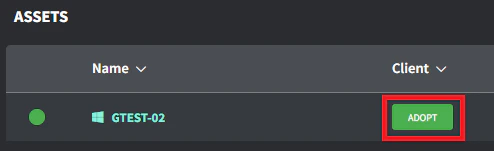
Once the asset appears in the asset list (this can take a few minutes based on internet bandwidth), navigate to the Client/Location column and click the Adopt button.
6
Select the correct Client/Location and click Save
Your asset is now connected to the appropriate client and location in Gorelo.