Create a script
- Navigate to Scripts from the main menu.
- Click Create a script down the bottom-left.
- Give the script a title.
- Type or paste your script in the editor field (for example,
ipconfig). - Click Save up the top-right.
Extra settings
- Script type: this will change the script type from default PowerShell to either Command Line or Bash. PowerShell and Command Line is exclusive to Windows and Bash is exclusive to macOS.
- Timeout: this allows you to set the timeout period of the script in minutes.
- Run as user: this will run the script in the context of the most recently logged on user.
- Variables: this is a list of variables available in Gorelo that you can use. Creating custom assets fields, custom clients fields and custom files will populate this list.
Test your script
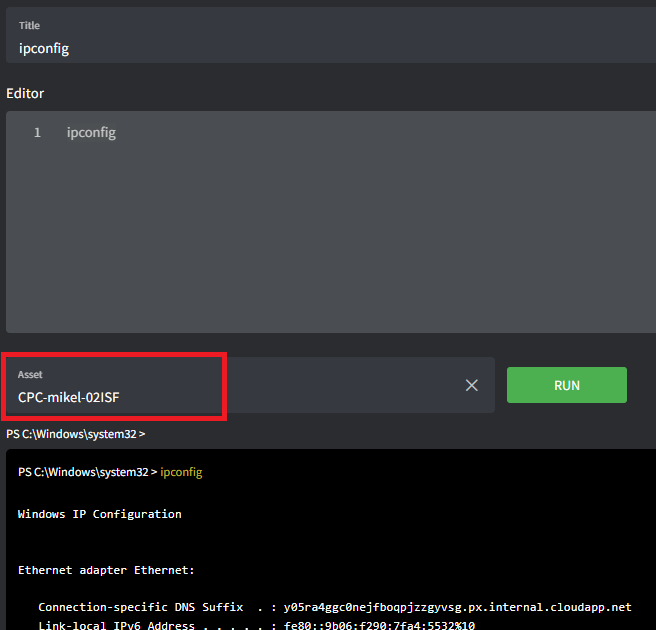
- Open or create a new script.
- Place your cursor in the Asset field at the bottom of the page.
- Type the hostname of the asset you’d like to test against.
- Click Run.