

- Windows
- Mac
透過 PowerShell 安裝通用 Windows agent:
- 從主選單前往 Assets List
-
將滑鼠移到右上角的「+Assets」按鈕並點擊「Agent Asset」
-
在彈出視窗中點擊「Request Agent」
- 複製 PowerShell 指令,貼到目標電腦的 PowerShell 並按 Enter
-
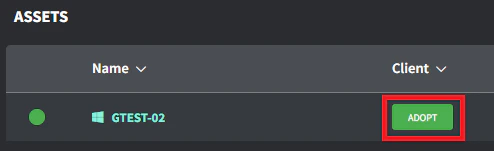
當 agent asset 出現在資產清單時(依網路頻寬可能需要幾分鐘),點擊 Client/Location 欄的「Adopt」按鈕
- 選擇正確的 Client/Location 並點擊「Save」進行採用