

1
Navigate to Policies from the menu
Select an existing policy.
2
Select the Plugin option
Hover over the Add button in the top right and then select Plugin.
3
Select GoreloConnect from the list
- Require consent before connecting: The user must approve the connection before you can connect.
- Auto-consent after x seconds: Gorelo grants consent automatically after a set period of time, for example, when the user is away from their desk.
Warn the user you’re connecting to their machine by toggling the Show connection in progress banner option. When activated, whenever you start a remote connection, a banner appears on the remotely controlled computer with the message “<technician name> from <organization name> is controlling your computer.” 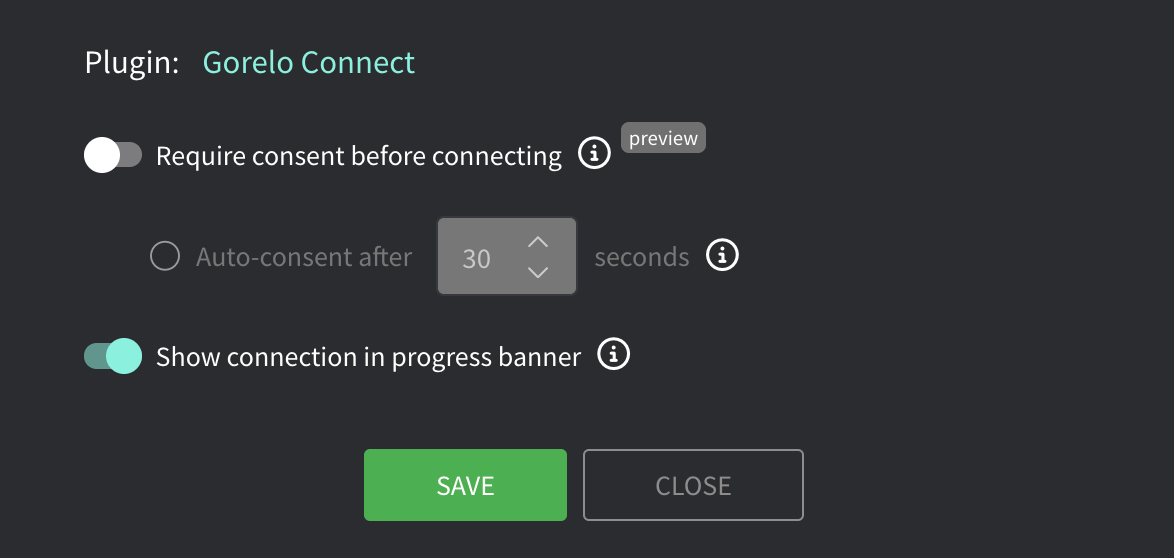
4
Click Save
5
Distribute the policy