

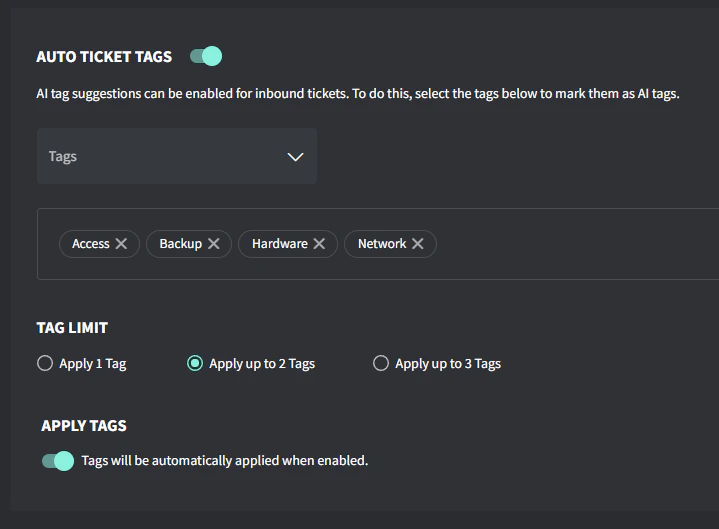
Enable auto ticket tags
- Go to Settings → AI → Auto Ticket Tags
- Toggle Auto Ticket Tags on
- Select the tags you want evaluated by AI
- Select how many tags you want suggested: 1, 2, or 3
- If you want tags to apply themselves automatically, toggle on Apply Tags
How it works
- AI looks at the ticket’s subject and first inbound public comment
- It compares that info against the name and description of any tags you’ve nominated
- You can create or edit tags under Settings → Tags → Ticket Tags
Create tags for AI use
- Head to Settings → Tags → Ticket Tags.
- Click Create a Ticket Tag (if you need a new one) or Edit (if you’re changing an existing tag).
- Enter the tag name and description (emojis are supported)
- Check Mark as AI tag so it can be picked up by the Auto Ticket Tags feature.
- Save your changes.