- Navigate to Settings —> Automation —> Event and Time
- Click ‘+Automation Rule’ up the top-right
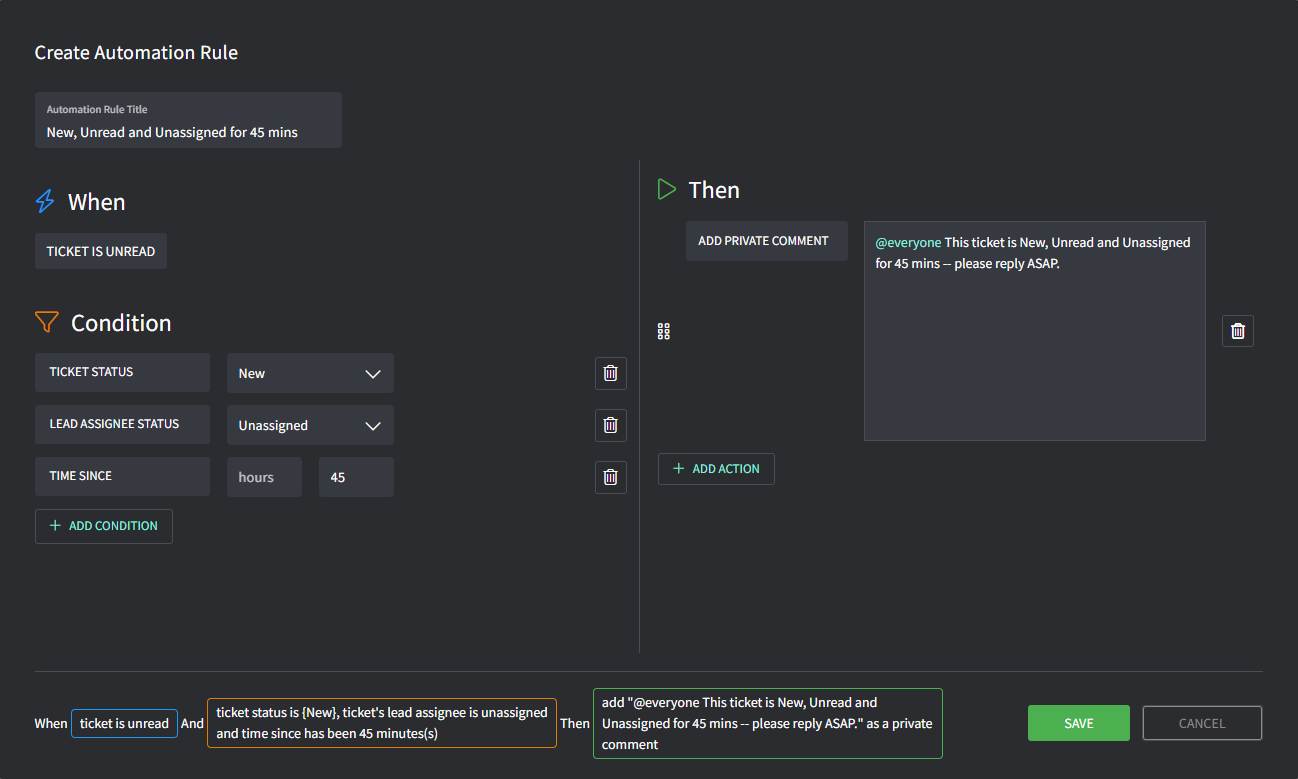
- Enter the details:
- Title: this is the title of the rule
- When: this is the trigger that the rule is based on
- Condition: these conditions must be met for the rule to apply (AND operator between each condition)
- Then: these are the actions that will then take place
Example: Notify @everyone
Notify @everyone when a ticket is:- New
- Unread
- Unassigned for over 45mins