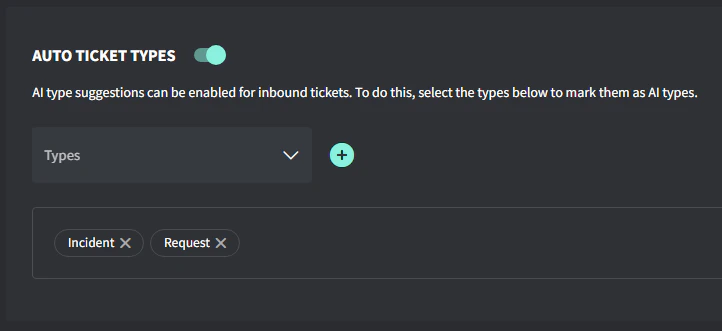
Auto Ticket Types help you cut through the noise and sort tickets faster. It looks at the subject and first inbound public comment, then picks the most relevant ticket type — automatically.
You need to enable Ticket Types before you can ensure the AI functionality

Turn On Auto Ticket Types (via AI)

  1. Navigate to Settings → AI → Auto Ticket Types
  2. Toggle Auto Ticket Types on
  3. Select the Ticket Types you would like to be assigned automatically
  4. Click ‘Update’
Image

How It Works

  • AI checks the ticket subject and first inbound public comment
  • It compares the wording to the name and description of the types you’ve selected
  • The best match gets picked
  • Use distinct names and descriptions so the AI can tell them apart easily
  • Want to test it? Just submit a dummy ticket with a realistic subject/comment combo and see what type it picks
  • If you’ve got similar types, tweak the descriptions to make them more specific