

https://1password.com/product/enterprise-password-manager-msp-edition
1
Navigate to Settings > Integrations
2
Click the ⚙️cog icon to configure 1Password.
3
Fill in the required fields:
Service Account Token:
- Navigate to your 1Password admin console > Developer > Service accounts.
- Click New service account up the top right.
- Enter
Goreloas the name. - Select your vaults and give write permissions.
- Create the account and copy the service account token into Gorelo.
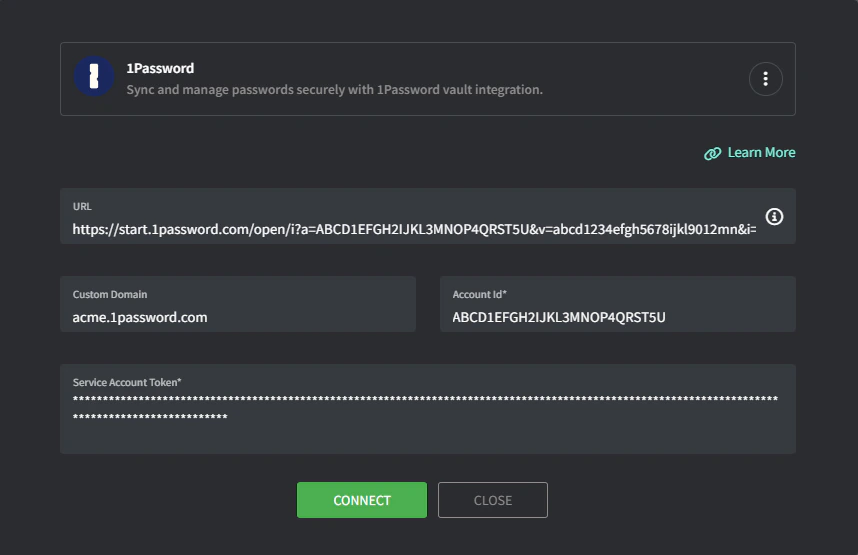
4
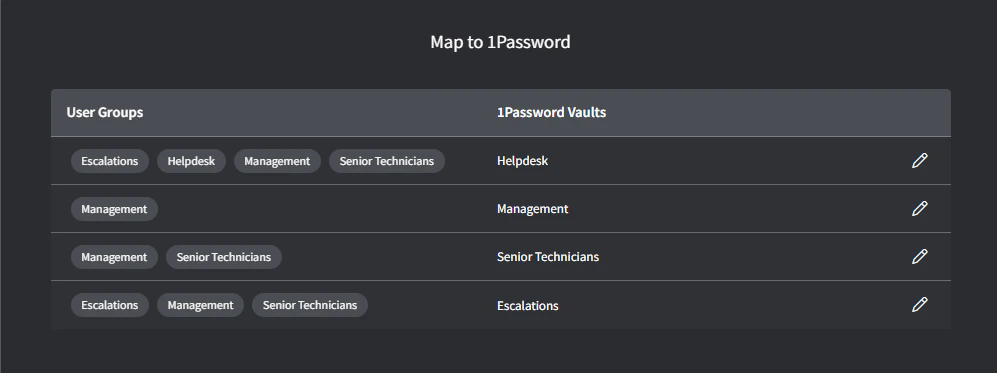
Click Connect and the Group.
Vault mapping screen will appear.
5
Map Gorelo Groups to the appropriate 1Password Vaults.
6
Click Map when complete.
Troubleshooting
1Password integration displays 'read only' permissions when trying to sync.
1Password integration displays 'read only' permissions when trying to sync.
Your integration is probably missing the write permission (step 3). To change the vaults/permissions, 1Password requires you to delete the service account and recreate it. Make sure to add the write permission when adding the Service Account Token.