

1
Create a custom asset field
- Navigate to Settings > Assets > Custom Fields.
- Add custom field with the following details:
- BitLocker
- Windows Install Date
- Windows Product Key
- MAC Address
- RAM Slots Used
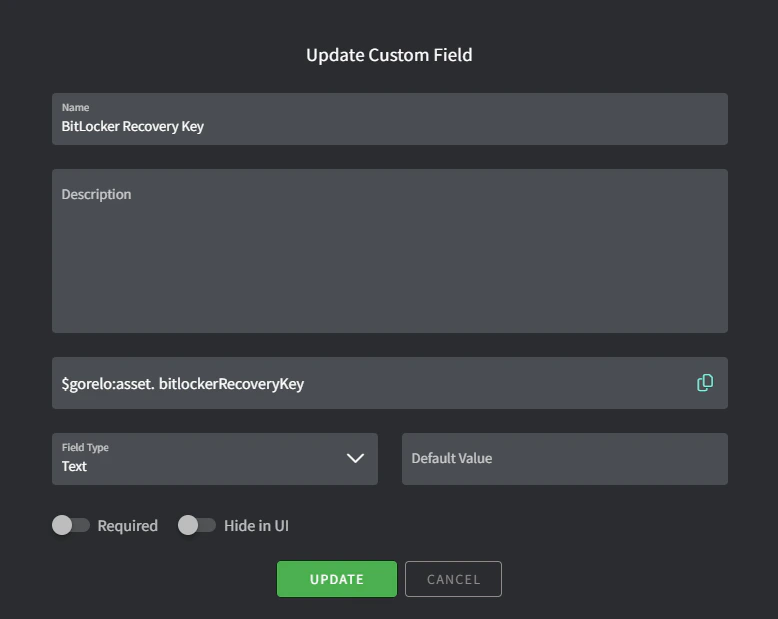
- Name: BitLocker Recovery Key
- Variable: bitlockerRecoveryKey
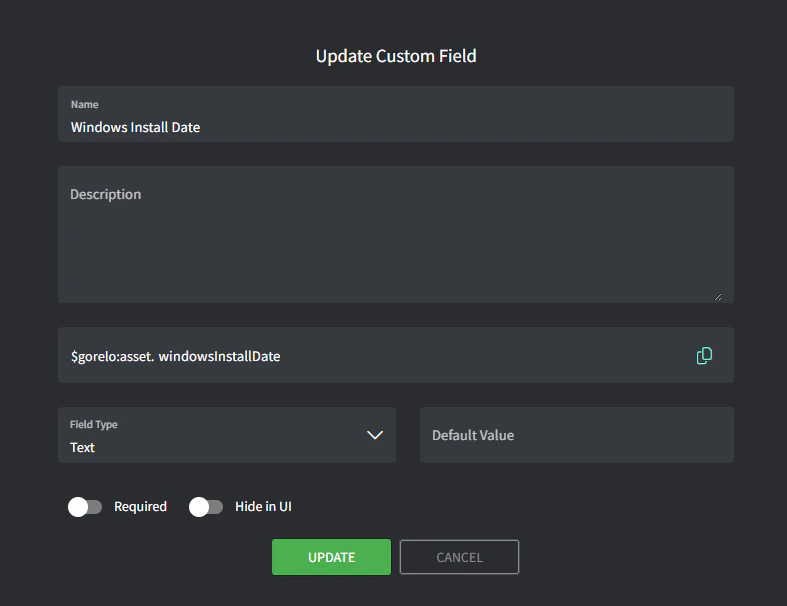
- Name: Windows Install Date
- Variable: windowsInstallDate
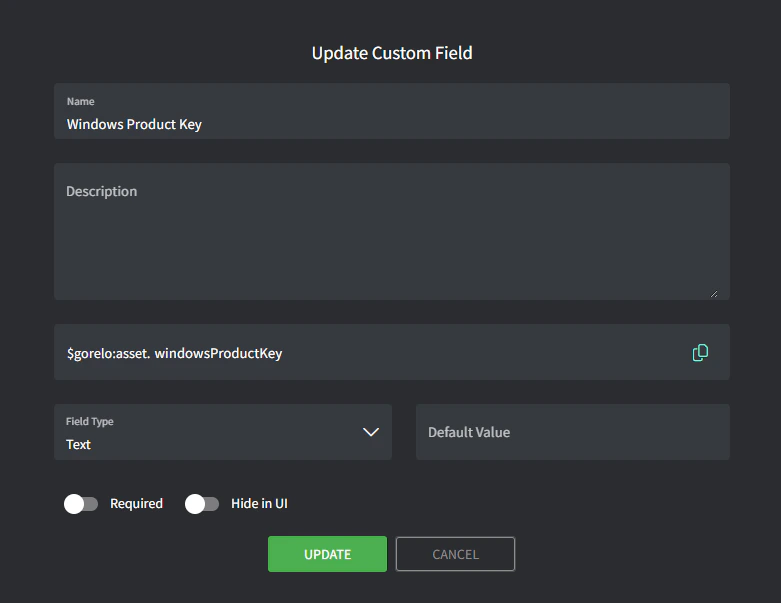
- Name: Windows Product Key
- Variable: windowsProductKey
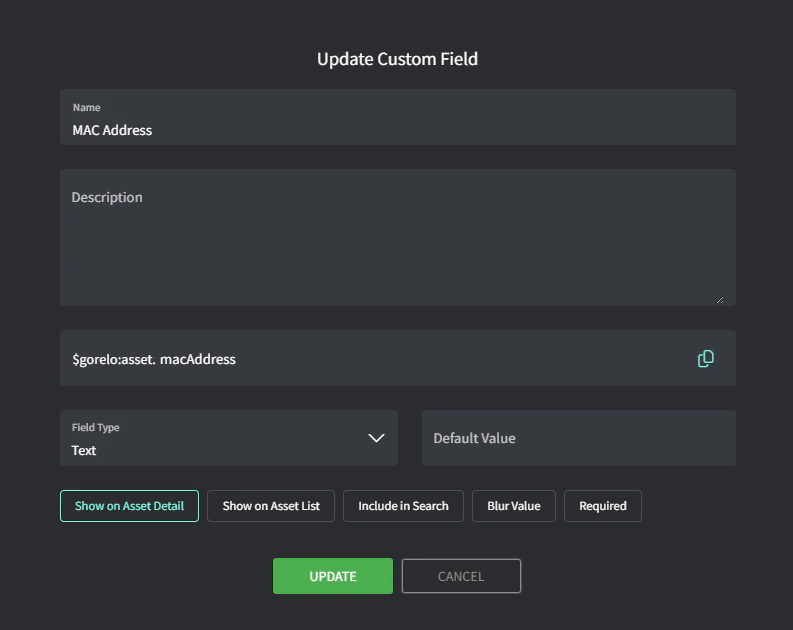
- Name: MAC Address
- Variable: macAddress
- Name: RAM Slots Used
- Variable: ramSlotsUsed
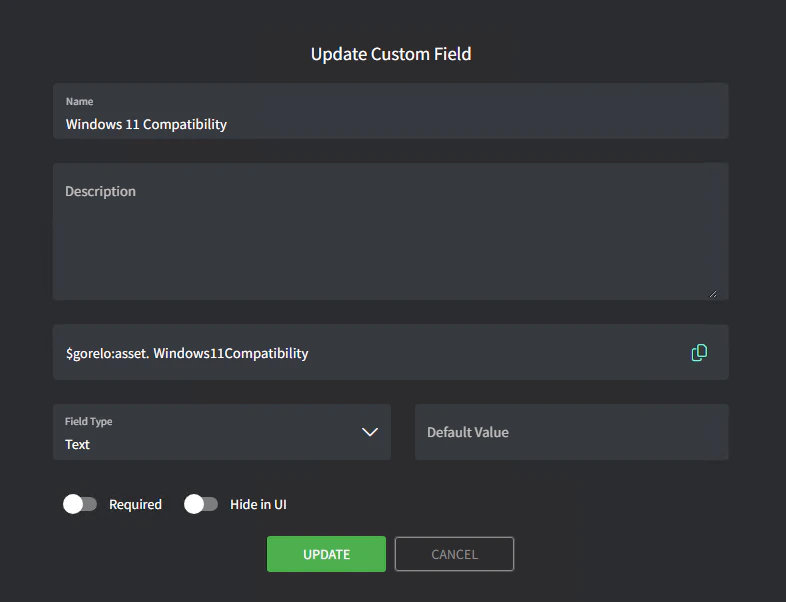
2
Create the script
- Navigate to Scripts.
- Create a script with the following details:
- BitLocker
- Windows Install Date
- Windows Product Key
- MAC Address
- RAM Slots Used
- Name: 🗝️Store-BitlockerRecoveryKey
- Content:
$ErrorActionPreference = 'SilentlyContinue'

# Get drives where BitLocker is "On"
$BitlockerDrives = Get-BitLockerVolume | Where-Object ProtectionStatus -EQ "On" -ErrorAction SilentlyContinue

#Get FileSystem drives
$Drives = Get-PSDrive -PSProvider FileSystem

#Create array of Drive Names with ":" added
$DrivesName = @()
$Drives |  foreach {$DrivesName += $_.name + ':' }

#If any Bitlockered drives exist
if($BitlockerDrives){

    #Foreach Drive
    Foreach ($DriveName in $DrivesName) {

        #Confirm is drive is bitlockered
        $BitlockerDrive = $BitlockerDrives | where { $DriveName -contains $_ }

        #If specific drive is bitlockered
        if ($BitlockerDrive){

            #Get RecoveryKey
            $RecoveryKey = $BitlockerDrive.KeyProtector | Where-Object RecoveryPassword -NE "" | Select-Object -ExpandProperty RecoveryPassword -ErrorAction SilentlyContinue

            #Join if multiple with ; delimiter
            $RecoveryKey = $RecoveryKey -join ";"

            #Add the drive letter to the output
            $RecoveryKey = "$($BitlockerDrive.mountpoint)$RecoveryKey"

            #Add to other drive keys (If exist)
            $RecoveryKeys += " $RecoveryKey "

        } else { $RecoveryKeys += $DriveName + "Not Enabled" }

    }

    GoreloAction -SetCustomField -Name 'asset.bitlockerRecoveryKey' -Value $RecoveryKeys

#If no bitlockered drives found
}else {

    Foreach ($DriveName in $DrivesName) {

        $RecoveryKeys += $DriveName + "Not Enabled "

    }

    GoreloAction -SetCustomField -Name 'asset.bitlockerRecoveryKey' -Value $RecoveryKeys

}
- Name: 🗝️Store-WindowsInstallDate
- Content:
# Initialize array to store all valid dates
$allDates = @()

# Method 1: Win32_OperatingSystem class
$osInfo = Get-WmiObject Win32_OperatingSystem
$installDate = $osInfo.ConvertToDateTime($osInfo.InstallDate)
$allDates += $installDate
Write-Host "OS Installation Date (from Win32_OperatingSystem): $($installDate.ToString('MM/dd/yyyy'))" -ForegroundColor White

# Method 2: Registry installation date
$registryPath = "HKLM:\SOFTWARE\Microsoft\Windows NT\CurrentVersion"
$registryInstallDate = Get-ItemProperty -Path $registryPath | Select-Object -ExpandProperty InstallDate
$registryInstallDateTime = (Get-Date "1970-01-01 00:00:00.000Z").AddSeconds($registryInstallDate)
$allDates += $registryInstallDateTime
Write-Host "Registry Installation Date: $($registryInstallDateTime.ToString('MM/dd/yyyy'))" -ForegroundColor White

# Method 3: Earliest system restore point (with proper date parsing)
try {
    $restorePoints = Get-ComputerRestorePoint | Sort-Object -Property CreationTime
    if ($restorePoints) {
        $earliestRestorePoint = [datetime]::ParseExact($restorePoints[0].CreationTime.ToString(), "yyyyMMddHHmmss.ffffff-000", $null)
        $allDates += $earliestRestorePoint
        Write-Host "Earliest System Restore Point: $($earliestRestorePoint.ToString('MM/dd/yyyy'))" -ForegroundColor White
    }
}
catch {
    Write-Host "Unable to retrieve or parse system restore points." -ForegroundColor Yellow
}

# Method 4: Windows.old folder date (if exists)
$windowsOldPath = "$env:SystemDrive\Windows.old"
if (Test-Path $windowsOldPath) {
    $windowsOldDate = (Get-Item $windowsOldPath).CreationTime
    $allDates += $windowsOldDate
    Write-Host "Windows.old Folder Creation Date: $($windowsOldDate.ToString('MM/dd/yyyy'))" -ForegroundColor White
}

# Filter out any null dates and find the oldest
$validDates = $allDates | Where-Object { $_ -ne $null }
$oldestDate = $validDates | Sort-Object | Select-Object -First 1

Write-Host "`nOldest detected date (likely original deployment): $($oldestDate.ToString('MM/dd/yyyy'))" -ForegroundColor Green

# Format date for Gorelo (date only)
$goreloDateString = Get-Date $oldestDate -Format "yyyy-MM-dd"

# Set Gorelo custom field with the oldest date
try {
    GoreloAction -SetCustomField -Name '$gorelo:asset.windowsInstallDate' -Value $goreloDateString
    Write-Host "Successfully updated Gorelo custom field" -ForegroundColor Green
} catch {
    Write-Host "Error updating Gorelo custom field: $($_.Exception.Message)" -ForegroundColor Red
}

# Display difference between oldest and newest dates for verification
$newestDate = $validDates | Sort-Object | Select-Object -Last 1
$dateDifference = New-TimeSpan -Start $oldestDate -End $newestDate
Write-Host "`nDate range span: $($dateDifference.Days) days" -ForegroundColor Cyan
Write-Host "Newest date found: $($newestDate.ToString('MM/dd/yyyy'))" -ForegroundColor Cyan
- Name: 🗝️Store-WindowsProductKey
- Content:
# Get Windows Product Key and update Gorelo custom field
try {
    # Get Windows Product Key using WMI
    $productKey = (Get-WmiObject -query 'select * from SoftwareLicensingService').OA3xOriginalProductKey

    if ([string]::IsNullOrEmpty($productKey)) {
        # If OA3xOriginalProductKey is empty, try getting it from registry
        $regPath = 'HKLM:\SOFTWARE\Microsoft\Windows NT\CurrentVersion\SoftwareProtectionPlatform'
        $regValue = 'BackupProductKeyDefault'
        $productKey = (Get-ItemProperty -Path $regPath -Name $regValue -ErrorAction SilentlyContinue).$regValue
    }

    if ([string]::IsNullOrEmpty($productKey)) {
        # If still empty, try another registry method
        $regPath = "HKLM:\SOFTWARE\Microsoft\Windows NT\CurrentVersion\DigitalProductId"
        $digitalId = (Get-ItemProperty -Path $regPath).DigitalProductId

        # Convert Digital Product ID to Product Key
        $keyOffset = 52
        $isWin8 = ([math]::Floor($digitalId[66] / 6) -band 1)
        $productKey = ""
        $chars = "BCDFGHJKMPQRSTVWXY2346789"

        for ($i = 24; $i -ge 0; $i--) {
            $r = 0
            for ($j = 14; $j -ge 0; $j--) {
                $r = ($r * 256) -bxor $digitalId[$j + $keyOffset]
                $digitalId[$j + $keyOffset] = [math]::Floor($r / 24)
                $r = $r % 24
            }
            $productKey = $chars[$r] + $productKey
            if (($i % 5) -eq 0 -and $i -ne 0) {
                $productKey = "-" + $productKey
            }
        }
    }

    if (![string]::IsNullOrEmpty($productKey)) {
        # Update Gorelo RMM custom field
        GoreloAction -SetCustomField -Name '$gorelo:asset.WindowsProductKey' -Value $productKey
        Write-Output "Successfully updated Windows Product Key in Gorelo"
    } else {
        Write-Error "Could not retrieve Windows Product Key"
        exit 1
    }
} catch {
    Write-Error "Error: $($_.Exception.Message)"
    exit 1
}
- Name: MAC Address for Ethernet
- Content:
# Get Ethernet adapter MAC address only
$MacAddress = (Get-NetAdapter | Where-Object {$_.Name -like "*Ethernet*" -and $_.Status -eq "Up"} | Select-Object -First 1 -ExpandProperty MacAddress)

if ($MacAddress) {
    GoreloAction -SetCustomField -Name 'asset.macAddress' -Value $MacAddress
    Write-Host "Ethernet MAC Address set to: $MacAddress"
} else {
    Write-Host "No active Ethernet adapter found"
}
- Name: 🗝️Store-ramSlotsUsed
- Content:
$totalSlots = (Get-CimInstance -ClassName Win32_PhysicalMemoryArray).MemoryDevices
$usedSlots = (Get-CimInstance -ClassName Win32_PhysicalMemory).Count
$emptySlots = $totalSlots - $usedSlots
$totalRAM = [math]::Round((Get-CimInstance -ClassName Win32_ComputerSystem).TotalPhysicalMemory/1GB, 2)

$ramInfo = "RAM: $totalRAM GB installed | Slots: $usedSlots/$totalSlots used ($emptySlots empty)"

# Set Gorelo RMM custom field
GoreloAction -SetCustomField -Name 'asset.ramSlotsUsed' -Value $ramInfo

Write-Host "Set Gorelo field 'asset.ramSlotsUsed' to: $ramInfo"
3
Deploy the script via a policy.
- Navigate to Policies.
- Edit an existing policy that covers the assets you want to store the keys or the addresses for.
- Add the script and set to repeat daily at your preferred time.
- Save and distribute the policy.