

- Windows
- Mac
通过 PowerShell 安装通用 Windows 代理:
- 在主菜单中导航到 Assets List
-
将鼠标悬停在右上角的 “+Assets” 按钮上,然后点击 “Agent Asset”
-
在弹出窗口中点击 “Request Agent”
- 复制 PowerShell 命令,粘贴到目标计算机上的 PowerShell 中并按 Enter
-
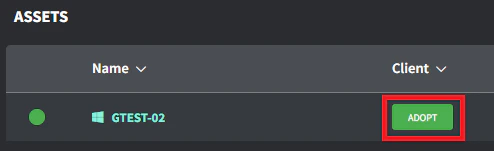
当代理资产出现在资产列表中后,点击 Client/Location 列中的 “Adopt” 按钮(根据互联网带宽,这可能需要几分钟才能出现)
- 选择正确的 Client/Location 并点击 “Save” 进行采纳