

- 前往 More → Service delivery → Clients
- 點擊右上角的 New client
-
在 Basic info 中,輸入 Client name 與 Billing name(兩者皆為必填),並視需要調整 Client type、Groups 與 Tags
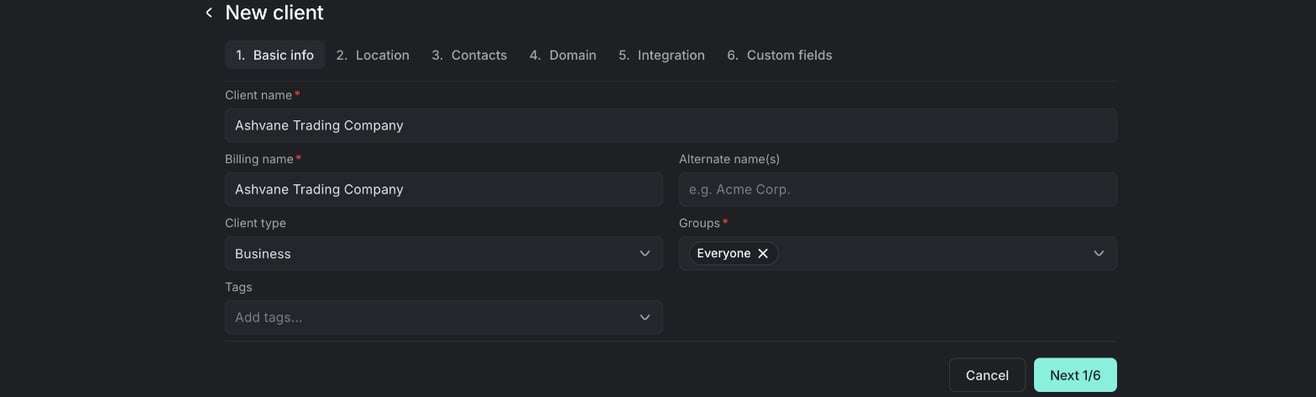
- 點擊 Next 以完成其餘步驟:Location(必須填寫 Location name)、Contacts、Domain、Integration 與 Custom fields
- 在最後一步,點擊 Finish
客戶
新增客戶
在 Gorelo 的客戶清單中新增客戶,以開始在同一個帳戶中追蹤其聯絡人、資產、工單、合約與發票。
新增客戶,以在同一處追蹤其聯絡人、資產、工單、合約與發票。New client 精靈會引導你完成六個步驟。