

- Navigate to the Alerts List from the main menu.
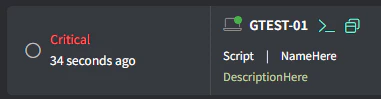
- In the Everything view, you should see the newly generated alert with the following details (but a different asset name):
(Generate a test alert if you do not see anything).
- Click the Create Ticket button on the far right:

- Fill in the appropriate details and click Create.
Alerts
Create a ticket from an alert
Convert a Gorelo alert into a ticket from the Alerts list so technicians can investigate the issue, track resolution, and bill any associated work.