

Create a third-party conversation
- Create or navigate to an existing ticket
- Click the + button in the timeline tab and add a Third Party Conversation
- Search from existing contacts or type a name/email
- (Optional) Add Cc’s via the ‘Add more detail’ dropdown
- Public comment thread can be added via the ‘Add more detail’ dropdown
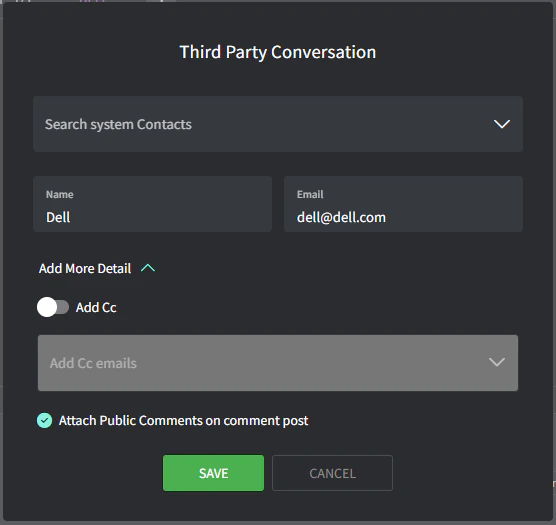
- Click ‘Save’
- Type your email in the expanded Third Party Conversation comment box and click ‘Post’ (note the purple tab color)
Thread visibility
Threads have different visibility levels:- Private: visible only by you and your team from the Gorelo admin interface.
- Public: visible by your contact by email.
- Thread: visible by a third party by email.